
Losing a file is annoying. Losing an entire partition is something else.
That is usually when people start comparing EaseUS Data Recovery Wizard and Disk Drill.
Both are established data recovery applications. Both can scan HDDs, SSDs, USB drives, memory cards, and formatted partitions. Both offer Quick and Deep Scan-style recovery methods. And both try to make a complicated technical process usable without requiring forensic recovery experience.
But they approach the job differently.
EaseUS Data Recovery Wizard feels like a focused recovery utility. Pick the damaged or deleted location, scan it, filter the results, preview your files, and recover them.
Disk Drill feels more like a storage toolbox. Recovery is the main attraction, but disk monitoring, backups, protection tools, and cleanup utilities sit around it.
After working through the recovery workflows, scan behavior, RAW recovery scenarios, filtering, previews, file-system support, and extra tools, the difference becomes fairly clear.
Windows users will probably prefer EaseUS. Mac users have stronger reasons to choose Disk Drill.
Here is why.
EaseUS Data Recovery Wizard vs. Disk Drill: Quick Comparison
| Feature | EaseUS Data Recovery Wizard | Disk Drill |
|---|---|---|
| Windows Support | Excellent | Excellent |
| macOS Support | Yes | Excellent |
| NTFS | Yes | Yes |
| exFAT | Yes | Yes |
| FAT32 | Yes | Yes |
| HFS+ | Yes | Yes |
| APFS | Mac version support | Strong Mac support |
| EXT2/3/4 | Supported in relevant recovery scenarios | Supported |
| RAW Partition Recovery | Excellent | Very Good |
| Quick Scan | Yes | Yes |
| Deep Scan | Yes | Yes |
| File Preview | Yes | Yes |
| NAS Recovery | Yes | More limited as a dedicated workflow |
| S.M.A.R.T. Monitoring | Not a headline feature | Yes |
| Video Repair | Yes, paid recovery features include corrupted video repair | Recovery focused |
| Bootable/Crashed PC Recovery | Yes | Boot/recovery tools vary by platform |
| Free Recovery | Up to 2GB | Up to 500MB on Windows |
| Starting Pro Price | About $69.95 | About $89 |
| Best For | Windows recovery, RAW drives, straightforward recovery jobs | Mac users, storage tools, power users |
There is an important detail hidden in that free-recovery row.
EaseUS advertises up to 2GB, but that does not necessarily mean you immediately receive a completely unrestricted 2GB allowance. Its current free edition provides 500MB initially, with additional free capacity available through its promotional sharing mechanism.
Disk Drill’s 500MB free recovery allowance applies to Windows. The Mac Basic edition is primarily useful for scanning and previewing recoverable files rather than offering the same 500MB general recovery allowance.
That distinction matters when comparing the free versions.
Interface Showdown: Two Very Different Philosophies
The first major difference becomes obvious before you recover anything.
EaseUS and Disk Drill are trying to solve the same problem, but their interfaces reflect different priorities.
EaseUS: Tell Me Where You Lost the File
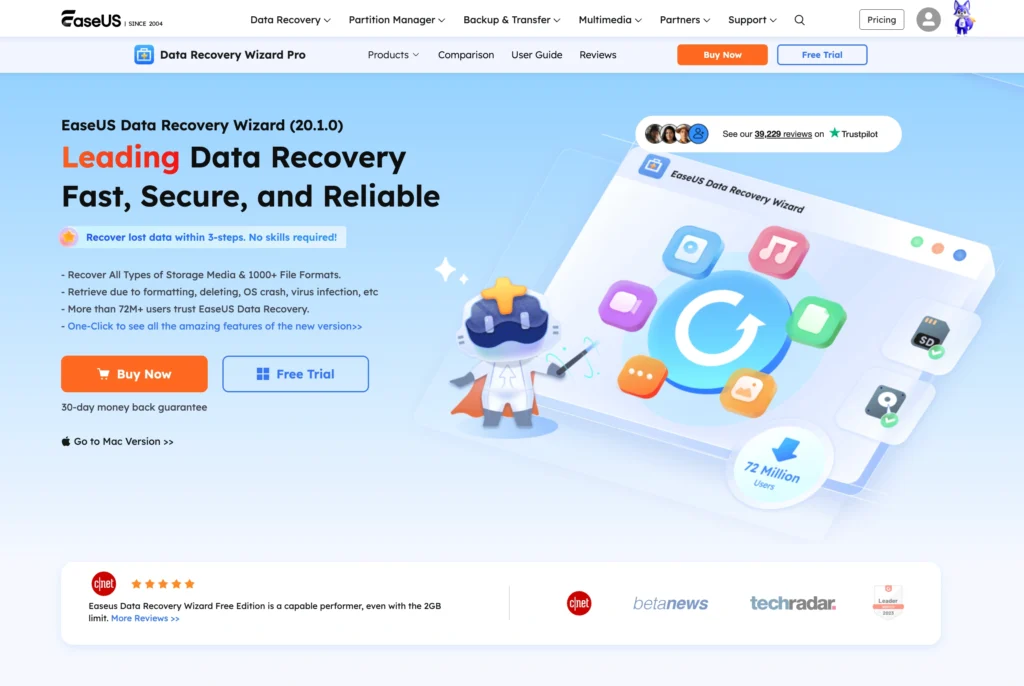
EaseUS Data Recovery Wizard is built around a guided workflow.
The main screen presents available storage locations and recovery categories. On Windows, that can include hardware disks, SD cards, NAS/Linux options, and crashed-PC recovery.
Select a disk.
Click Search for Lost Data.
That is basically it.
EaseUS then begins searching while displaying discovered content.
The interface deliberately hides much of the technical complexity.
You are not immediately confronted with dozens of recovery algorithms or forensic terminology. Instead, EaseUS assumes the average person knows only one thing:
“My files were on this drive.”
That is a sensible design decision.
During a real data-loss emergency, simplicity matters more than clever graphics.
EaseUS also makes filtering relatively straightforward. Once thousands of files start appearing, you can narrow the results rather than manually digging through every recovered directory.
Useful filters include things such as:
- File type
- File size
- Date
- File name
- File location
- Deleted files
- Lost files
Previewing supported files before recovery is another important part of the workflow.
If EaseUS finds 600 JPEG files from a formatted SD card, you do not necessarily want to restore every one of them.
Previewing lets you check what is worth recovering first.
Disk Drill: More Modern, More Information
Disk Drill looks more like a modern desktop utility.
Its interface feels polished, particularly on macOS.
Connected disks are clearly displayed. Recovery options are logically organized, and additional storage tools are integrated into the application rather than feeling completely separate.
Disk Drill also exposes more of what is happening.
That will appeal to technically comfortable users.
Instead of feeling like a single-purpose recovery wizard, Disk Drill feels like a storage management application that happens to have a very capable recovery engine.
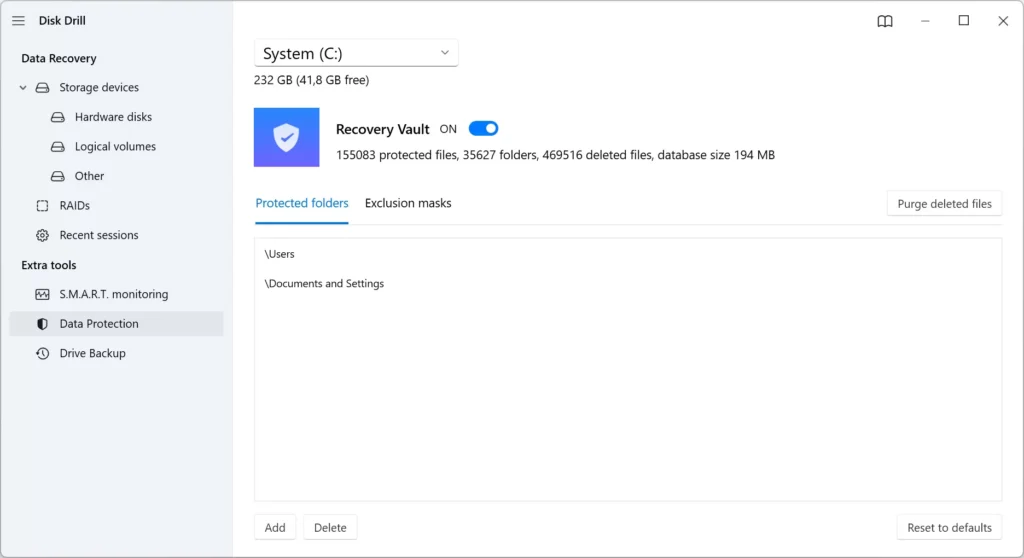
Its broader toolset includes features related to:
- Data recovery
- Disk health
- Data protection
- Byte-to-byte backup
- Duplicate detection
- Disk cleanup
- Data shredding
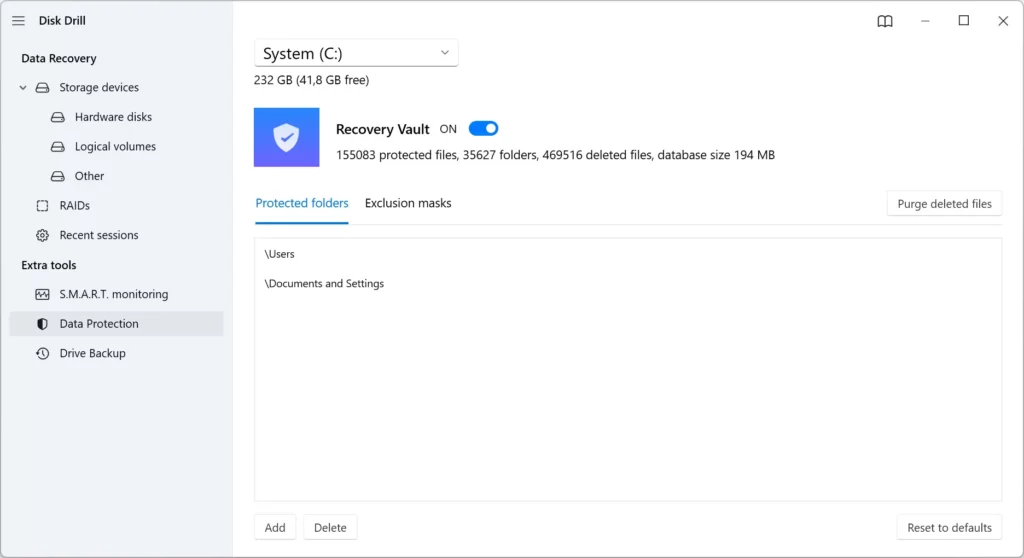
- Recovery Vault
Not every feature is identical across Windows and macOS, but the philosophy is consistent.
Disk Drill wants to stay installed after your recovery job is finished.
EaseUS feels more like software you launch when something has already gone wrong.
Which Interface Is Better?
For a first-time user:
EaseUS wins.
It requires fewer decisions.
For an experienced Mac user or someone who likes having more storage utilities in one application:
Disk Drill wins.
Neither application is genuinely difficult.
The difference is that EaseUS asks fewer questions.
Scanning Speed: EaseUS vs. Disk Drill
Scan speed is difficult to reduce to a single number.
Drive capacity is only one variable.
Actual performance depends on:
- HDD vs. SSD
- USB connection speed
- File system
- Number of files
- Bad sectors
- File-system corruption
- Partition condition
- Recovery method
- File fragmentation
- Computer performance
A healthy 1TB SSD and a dying 1TB mechanical HDD can produce completely different scanning times.
That is why claims such as “Software A scans a 1TB drive in exactly 25 minutes” should be treated carefully.
EaseUS Scanning
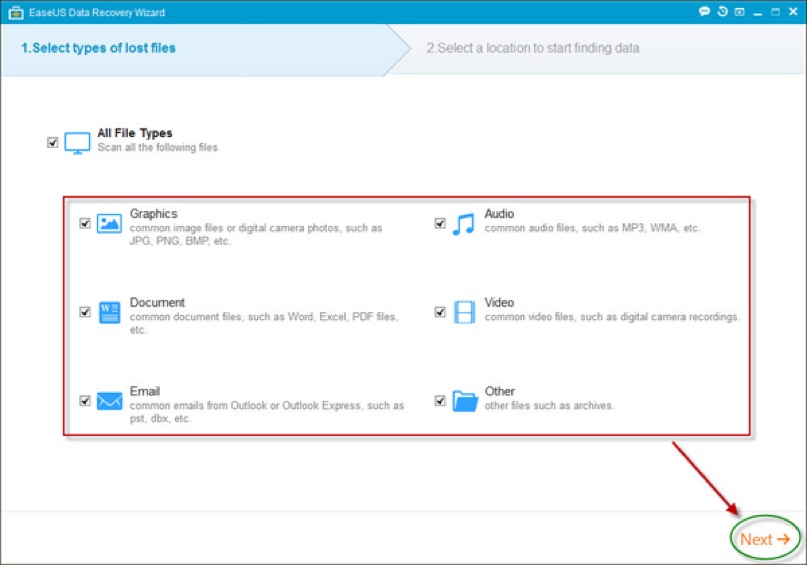
EaseUS performs especially well when you want results quickly without manually choosing recovery algorithms.
The initial scan can surface recently deleted files relatively quickly.
The more exhaustive search then continues looking for deeper file structures and file signatures.
This approach works well because you can often begin inspecting results before the entire process finishes.
If the missing file appears early, you may not need to sit staring at a progress bar.
Disk Drill Scanning
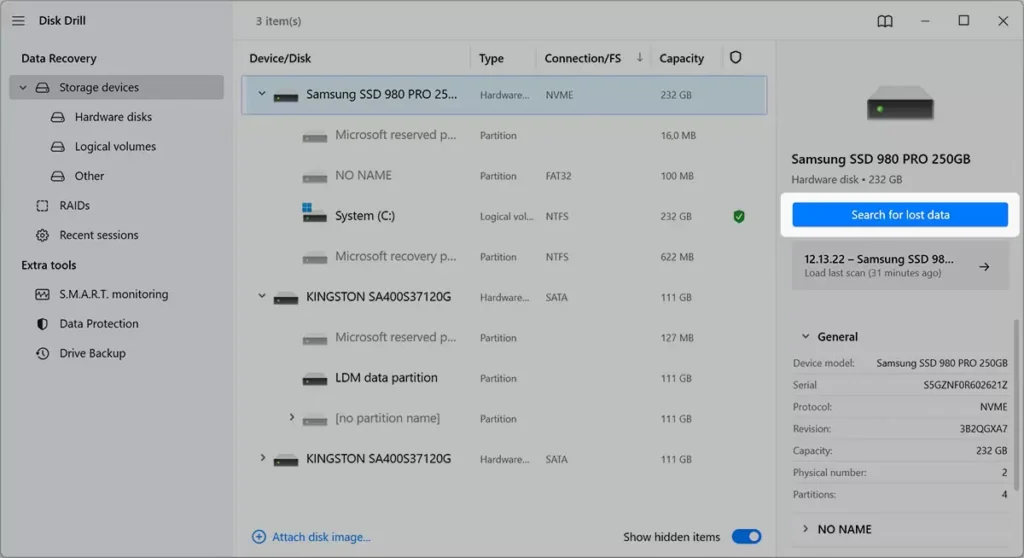
Disk Drill also combines multiple recovery methods.
Its recovery engine can search existing file-system records, lost partitions, and recognizable file signatures.
Deep recovery becomes more important when the original directory information has been damaged or removed.
Disk Drill’s strength is transparency.
It does a good job of presenting recovery results and categorizing discovered files without making the application feel like a forensic utility.
Scanning Speed Winner
Result: Tie
EaseUS feels slightly more direct when you just want to launch a scan and start searching.
Disk Drill provides an equally competent workflow while exposing more information.
The condition and speed of the storage device will matter far more than a small difference between the two applications.
File System Support
File-system support becomes important when recovering external drives or moving between Windows and Mac.
EaseUS File System Support
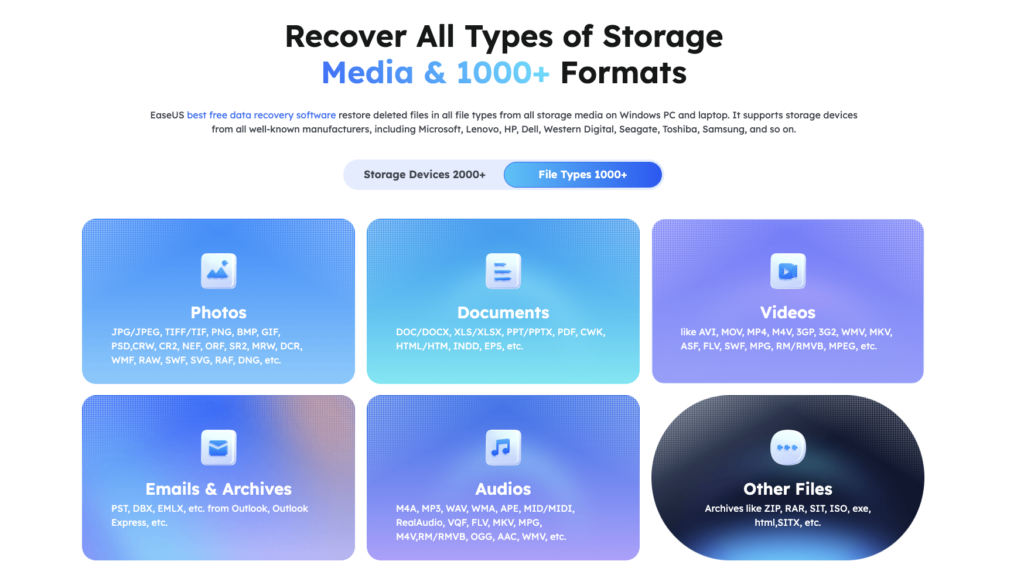
EaseUS supports major file systems including:
- NTFS
- NTFS5
- FAT12
- FAT16
- FAT32
- exFAT
- HFS+
- EXT2
- EXT3
- EXT4
- ReFS
Platform-specific capabilities vary, especially when Mac-oriented formats enter the picture.
For typical Windows recovery jobs involving NTFS, FAT32, and exFAT, EaseUS is very comfortable.
Disk Drill File System Support
Disk Drill supports a similarly broad range.
Common targets include:
- APFS
- HFS+
- NTFS
- FAT/FAT32
- exFAT
- EXT2
- EXT3
- EXT4
Its history on macOS gives Disk Drill a particularly strong position around Apple storage.
That becomes important when dealing with APFS volumes, Mac-formatted external drives, and Apple hardware.
File System Winner
Windows: EaseUS
Mac: Disk Drill
For ordinary FAT32 and exFAT memory cards, there is little reason to choose based solely on file-system support.
For a modern Mac environment, Disk Drill has the stronger overall proposition.
Recovery Power: Which Handles RAW Partitions Better?
This is where things become more serious.
A RAW partition does not mean your files have suddenly turned into camera RAW images.
It usually means the operating system cannot correctly recognize or mount the partition’s file system.
Windows might show the disk but refuse to open it.
You may receive messages asking you to format the drive.
Do not immediately format it.
The underlying files may still exist.
EaseUS RAW Recovery
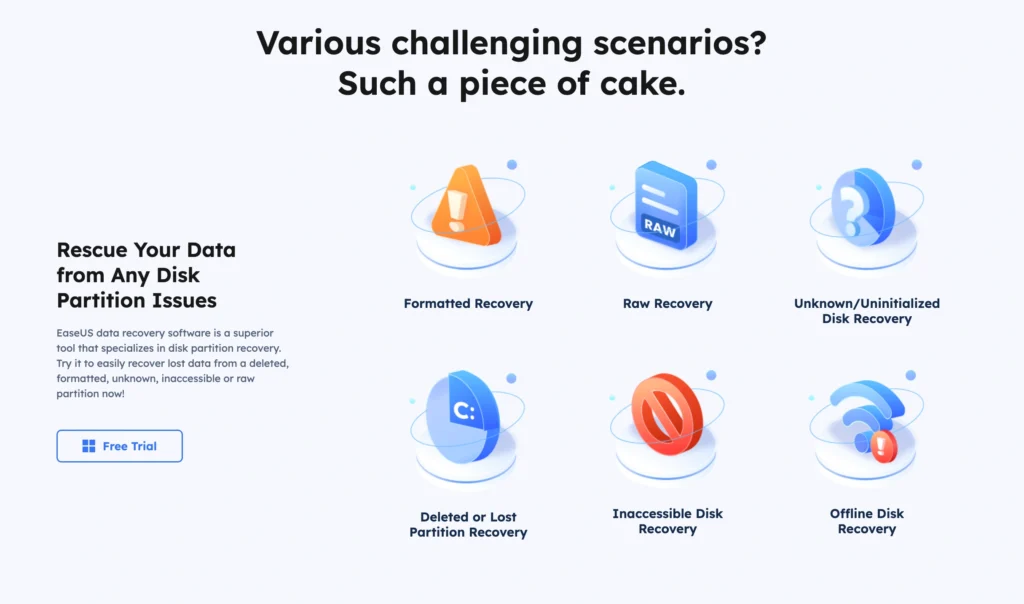
RAW recovery is one of EaseUS Data Recovery Wizard’s stronger areas.
The software can scan drives where normal file-system structures are badly damaged.
When original directories and indexes are unavailable, EaseUS can search for known file signatures.
That means it may still identify things such as:
- JPEG
- PNG
- MP4
- MOV
- DOCX
- XLSX
- ZIP
- MP3
There is a cost.
Signature-based recovery frequently loses useful metadata.
Instead of getting:
D:\Client Projects\2026\Invoice-August.xlsx
you may get something much less helpful.
The file might be reconstructed without its original filename or folder path.
This is not an EaseUS-specific weakness.
It is a consequence of losing the metadata that described the original file structure.
EaseUS nevertheless does a good job of making RAW results manageable through filtering, previews, and its current RAW scanning algorithms.
Disk Drill RAW Recovery
Disk Drill is also strong here.
Its Deep Scan capabilities can reconstruct hundreds of file formats based on recognizable signatures.
Disk Drill currently advertises reconstruction support for 400+ file formats.
The recovery process is polished, and categorization helps when the original directory tree no longer exists.
Its Mac recovery capabilities are particularly useful when the damaged storage originally used Apple file systems.
RAW Recovery Winner
On Windows, I would give EaseUS a narrow advantage.
Its workflow is particularly good when dealing with ordinary users who have plugged in an external HDD and suddenly discovered Windows thinks it is RAW.
Select the drive, scan it, filter the results, preview important files, and recover them elsewhere.
Disk Drill is very close.
On Mac-oriented storage, I would reverse the recommendation and lean toward Disk Drill.
Recovering Deleted Files
Simple deletion is easier than RAW recovery.
Suppose you deleted a folder containing:
- 800 JPEG images
- 40 MP4 videos
- 25 Word documents
- 12 Excel spreadsheets
- Several ZIP archives
If the drive has not been heavily used since deletion, both applications have a reasonable chance of locating at least some of that content.
The biggest mistake is continuing to use the drive.
Every new file written to the storage device can overwrite sectors belonging to deleted files.
This matters particularly with large videos.
A 5MB JPEG might occupy relatively few blocks.
A 4GB video occupies far more.
Parts of the video can therefore survive while other sections get overwritten.
The result?
The recovery application finds the video.
It restores the video.
The video refuses to play.
Finding a file and successfully reconstructing a healthy file are two different things.
Both EaseUS and Disk Drill make previewing important for this reason.
SSD Recovery: Neither Software Can Beat TRIM
SSD recovery needs its own warning.
Modern SSDs use TRIM and internal garbage collection.
When the operating system tells an SSD that certain blocks are no longer needed, the SSD can eventually erase or recycle them.
Once that happens, ordinary recovery software may not be able to retrieve the original information.
EaseUS cannot bypass physics.
Neither can Disk Drill.
If you accidentally delete important information from an SSD, stop writing new information to it immediately.
Do not install five different recovery applications onto the affected SSD and test them one by one.
You could make the situation worse.
Pricing: Which One Costs Less?
Pricing changes frequently because both companies run promotions.
At current standard pricing, the important numbers look roughly like this:
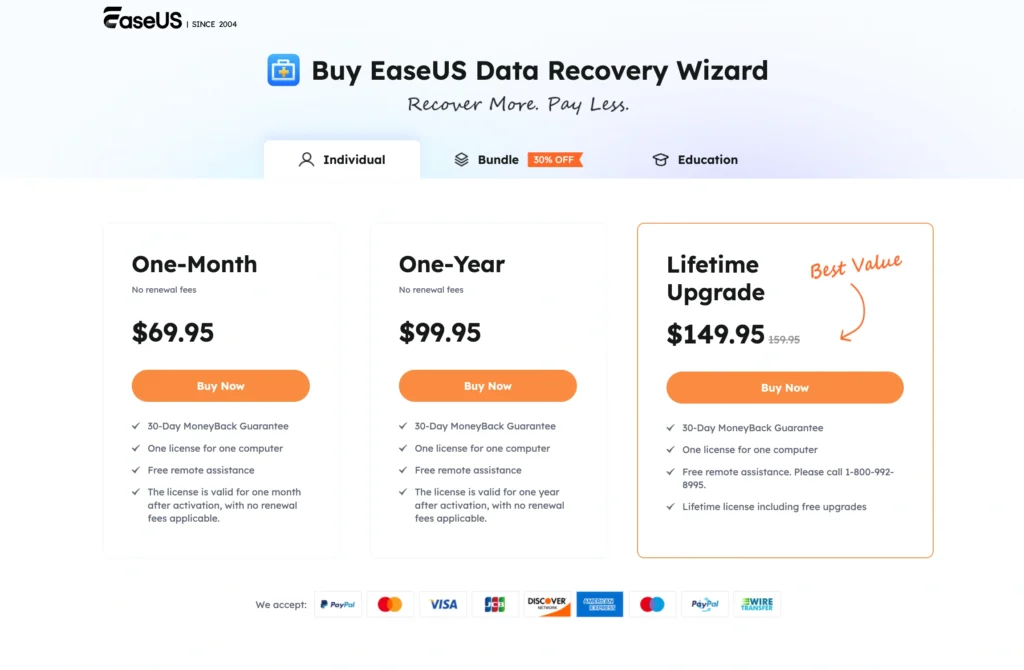
| Product | Free | Entry Pro Price | Longer-Term Option |
|---|---|---|---|
| EaseUS Windows | Up to 2GB | $69.95 / month | $99.95/year or $149.95 lifetime |
| EaseUS Mac | Limited free edition | $89.95 / month | $119.95/year or $169.95 lifetime |
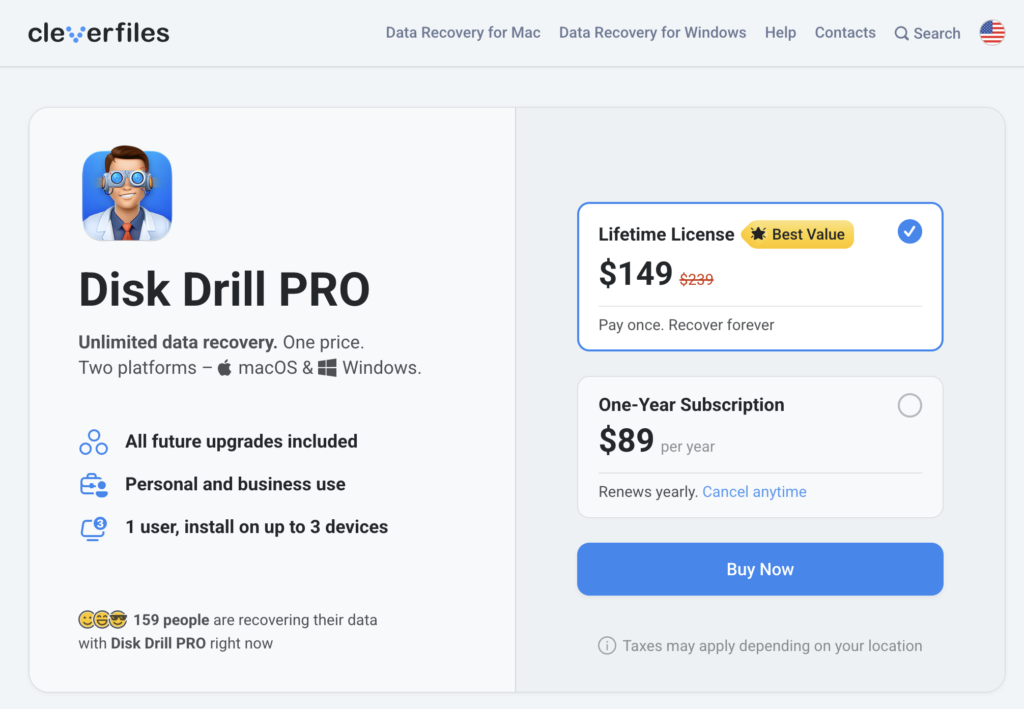
| Disk Drill PRO | 500MB Windows recovery | About $89 | Lifetime-style PRO licensing available |
EaseUS looks cheaper initially.
But its $69.95 Windows option is a one-month license.
That matters.
Disk Drill’s pricing structure is more attractive if you view recovery software as something you want available long term rather than an emergency application you purchase for one incident.
One-Time Emergency
Suppose you formatted an external HDD today.
You need to recover 150GB.
You have no reason to believe you will need recovery software again.
EaseUS’s shorter-term plan makes sense.
Pay for the recovery period.
Get your files.
Cancel or avoid renewal as appropriate.
Long-Term Ownership
For photographers, IT workers, developers, creators, or anyone maintaining multiple storage devices, Disk Drill becomes more compelling.
Its surrounding disk utilities also give you reasons to keep it installed.
Value Winner
This one depends on how you buy software.
One-time Windows emergency: EaseUS
EaseUS Pros and Cons
Pros
- Very easy recovery workflow
- Strong Windows support
- Excellent RAW partition recovery
- Up to 2GB free recovery
- NAS recovery
- Crashed-PC recovery capabilities
- Good filtering
- File previews
- Corrupted video repair
- Photo and document repair capabilities
- Strong support for common Windows file systems
Cons
- Subscription-style short-term pricing can become expensive
- Full 2GB free allowance has conditions
- Deep Scan can return overwhelming numbers of files
- Advanced users may want more granular controls
- Less compelling than Disk Drill as an everyday storage toolkit
Disk Drill Pros and Cons
Pros
- Excellent macOS experience
- Modern interface
- Strong APFS and HFS+ positioning
- Quick and Deep scanning
- 400+ recognizable file formats
- S.M.A.R.T. monitoring
- Recovery Vault
- Byte-to-byte backup
- Useful storage utilities
- Good lost-partition recovery
- Strong Windows version
Cons
- Windows free recovery limited to 500MB
- Mac free version does not offer the same general recovery allowance
- PRO costs more than EaseUS’s shortest Windows plan
- Extra utilities can make the application feel busier
- RAW recovery can lose original filenames and folder structures, as with other signature-based recovery tools
EaseUS vs. Disk Drill: Category Winners
| Category | Winner |
|---|---|
| Ease of Use | EaseUS |
| Windows Recovery | EaseUS |
| macOS Recovery | Disk Drill |
| RAW Partition Recovery | EaseUS, narrowly on Windows |
| APFS Recovery | Disk Drill |
| File Filtering | Tie |
| Free Recovery Allowance | EaseUS on Windows |
| S.M.A.R.T. Monitoring | Disk Drill |
| Video Repair | EaseUS |
| Disk Imaging/Backup Tools | Disk Drill |
| NAS Recovery Workflow | EaseUS |
| Preventive Protection | Disk Drill |
| Beginner Friendliness | EaseUS |
| Power-User Features | Disk Drill |
| Overall Mac Experience | Disk Drill |
| Overall Windows Experience | EaseUS |
Which One Should You Use?
Choose EaseUS Data Recovery Wizard if your main priority is straightforward file recovery.
It is especially suitable if:
- You use Windows.
- Your external drive suddenly appears RAW.
- You accidentally formatted a drive.
- You want a simple interface.
- You need NAS recovery.
- You need to recover data from a crashed PC.
- You want up to 2GB of free recovery.
- You are recovering damaged video.
- You only need the software for a short-term emergency.
EaseUS does a good job of keeping the workflow focused.
- Select.
- Scan.
- Preview.
- Recover.
That simplicity is valuable when you are already stressed about missing data.
Choose Disk Drill if you want recovery software that also functions as a broader storage toolkit.
It makes more sense if:
- You primarily use macOS.
- You frequently work with APFS or HFS+ drives.
- You want S.M.A.R.T. monitoring.
- You want Recovery Vault.
- You want byte-to-byte backups.
- You regularly work with external storage.
- You prefer more technical visibility.
- You want a polished Mac application.
- You intend to keep the software installed permanently.
Disk Drill feels more like something a photographer, developer, editor, or IT-minded user might keep around even when nothing is currently missing.
Final Winner: EaseUS or Disk Drill?
There isn’t one winner for every computer.
That may sound less satisfying than declaring one product universally superior, but the platform difference is too important to ignore.
Best for Windows: EaseUS Data Recovery Wizard
EaseUS wins on Windows.
The recovery workflow is exceptionally straightforward.
RAW drive recovery is strong. NTFS, FAT, and exFAT support covers the storage formats most Windows users encounter. NAS and crashed-PC recovery broaden its usefulness, while corrupted-video repair provides value after the initial recovery stage.
The free edition is another advantage.
Up to 2GB of recovery is genuinely useful, even though EaseUS requires an extra step to unlock the full advertised allowance.
If someone handed me a Windows laptop and said, “I accidentally formatted my external drive and I don’t understand data recovery,” EaseUS would be one of my first recommendations to try.
Not because it guarantees recovery.
Nothing does.
Because it gives a nontechnical user a reasonable chance of performing the recovery correctly.
APFS and HFS+ recovery, Apple hardware support, a polished interface, disk imaging, Recovery Vault, monitoring tools, and its wider storage toolkit make it feel more at home on a Mac.
It is particularly attractive for photographers and creators who constantly connect external SSDs, SD cards, cameras, and backup drives.
The weakness is the free edition.
Do not assume the Windows 500MB allowance applies identically to Mac.
It doesn’t.
But once you are considering the paid versions, Disk Drill’s broader feature set becomes easier to justify.
Overall Verdict
If we ignore operating systems and judge purely on recovery simplicity, EaseUS Data Recovery Wizard has the edge.
If we judge the software as a complete disk recovery and storage toolkit, Disk Drill is stronger.
That produces a fairly clean recommendation:
Windows users: Start with EaseUS.
Mac users: Start with Disk Drill.
And regardless of which application you choose, follow one rule after losing important data:
Stop using the affected drive.
Do not download movies onto it. Do not reinstall Windows or macOS. Do not copy new photos onto the SD card. Do not recover files back onto the same damaged partition.
The quality of the recovery software matters.
But what happens to the drive after data loss can matter even more.