
DigitalOcean and Linode are two trusted names in cloud hosting. Both are built for developers, startups, agencies, SaaS companies, and technical website owners who want more control than shared hosting can offer.
DigitalOcean is known for its clean dashboard, simple pricing, excellent documentation, and beginner friendly cloud experience. Linode, now part of Akamai Cloud, is known for strong compute performance, predictable pricing, low egress fees, and developer focused infrastructure.
At first, both platforms look very close. You can launch cloud servers, add storage, use managed databases, deploy Kubernetes clusters, set up load balancers, and run production websites or applications.
But they are not exactly the same.
DigitalOcean is usually better for users who want simplicity, managed app hosting, strong tutorials, and a smoother learning curve. Linode is better for users who want strong core cloud compute, Akamai’s network background, lower egress costs, and a more infrastructure focused setup.
Quick Comparison Table
| Category | DigitalOcean | Linode |
|---|---|---|
| Current Brand Name | DigitalOcean | Linode, now Akamai Cloud |
| Best For | Developers, startups, agencies, SaaS apps | Developers, DevOps teams, production workloads |
| Starting Price | From $4/month | From $5/month |
| Common 1 GB Server | $6/month | $5/month |
| Ease of Use | Very easy | Easy, but slightly more technical |
| Documentation | Excellent | Good |
| Managed App Hosting | Strong App Platform | Not as strong as DigitalOcean |
| Managed Databases | Yes | Yes |
| Kubernetes | Yes | Yes |
| Object Storage | Yes | Yes |
| Load Balancers | From $12/month | From $10/month |
| Egress Pricing | $0.01 per GiB over allowance | Usually $0.005 per GB over allowance |
| Best For Beginners | DigitalOcean | Moderate |
| Best For DevOps Teams | Good | Strong |
| Overall Winner For Simplicity | DigitalOcean | |
| Overall Winner For Core Compute Value | Linode |
DigitalOcean Overview
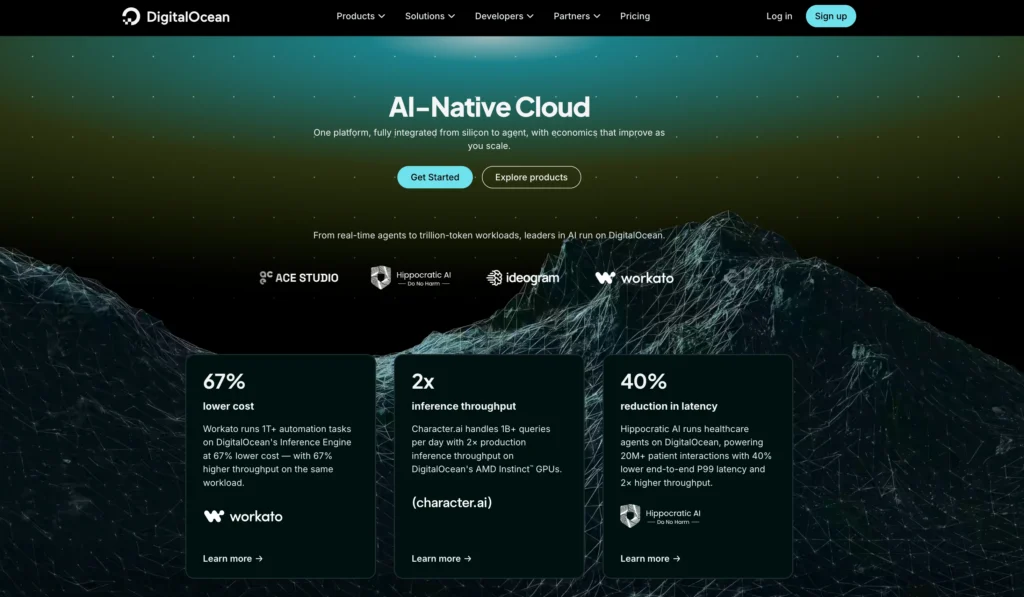
DigitalOcean is a cloud hosting platform built around simplicity. Its main product is called a Droplet, which is a cloud virtual machine used to host websites, apps, APIs, databases, development servers, and production workloads.
The biggest strength of DigitalOcean is how easy it feels compared to larger cloud providers. AWS, Google Cloud, and Azure can feel overwhelming for small teams. DigitalOcean keeps things cleaner. The dashboard is easier to understand, pricing is more predictable, and the tutorials are some of the best in the hosting industry.
DigitalOcean is a strong choice for developers, bloggers with technical help, startup founders, SaaS builders, ecommerce projects, and agencies that want scalable cloud hosting without too much complexity.
It is not traditional beginner hosting. You still need to understand servers, SSH, firewalls, backups, updates, and security. But among cloud hosting platforms, DigitalOcean is one of the easiest to learn.
DigitalOcean Features
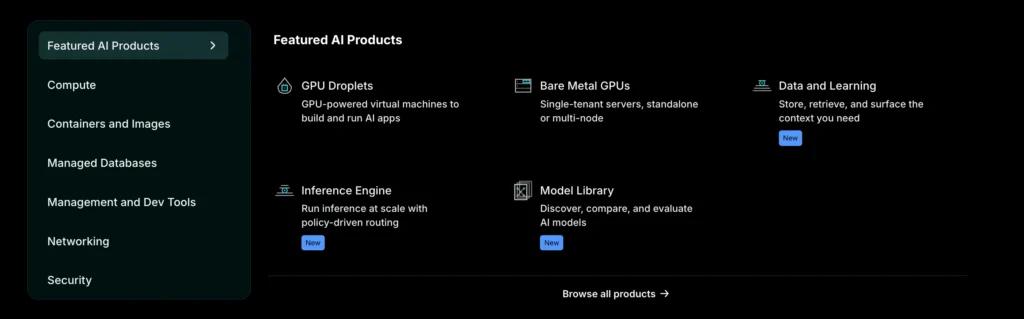
DigitalOcean offers much more than basic cloud servers. It has grown into a full cloud platform with compute, storage, databases, networking, monitoring, and deployment tools.
| DigitalOcean Feature | Details |
|---|---|
| Droplets | Cloud virtual machines for websites, apps, APIs, and custom workloads |
| App Platform | Managed app hosting for users who do not want to manage servers |
| Managed Databases | Supports PostgreSQL, MySQL, MongoDB, Valkey, Kafka, and OpenSearch |
| Kubernetes | Managed Kubernetes service for container based applications |
| Spaces Object Storage | S3 compatible storage for media, backups, and static files |
| Volumes Block Storage | Extra block storage that can be attached to Droplets |
| Load Balancers | Distributes traffic across multiple servers |
| Cloud Firewalls | Helps secure servers by managing network traffic |
| VPC Networking | Private networking for cloud resources |
| Monitoring and Alerts | Tracks server health and performance |
| Snapshots and Backups | Helps protect and restore cloud servers |
| Marketplace Apps | One click apps such as WordPress, Docker, LAMP, Node.js, and more |
| API and CLI | Useful for automation and developer workflows |
| Functions | Serverless compute for event based workloads |
DigitalOcean’s App Platform is one of its biggest advantages over Linode. It allows you to deploy apps without managing servers manually. You can connect a Git repository, deploy code, use automatic builds, add HTTPS, and scale resources with less server work.
This makes DigitalOcean more attractive for developers who want to build and ship faster instead of spending too much time maintaining infrastructure.
DigitalOcean Pricing
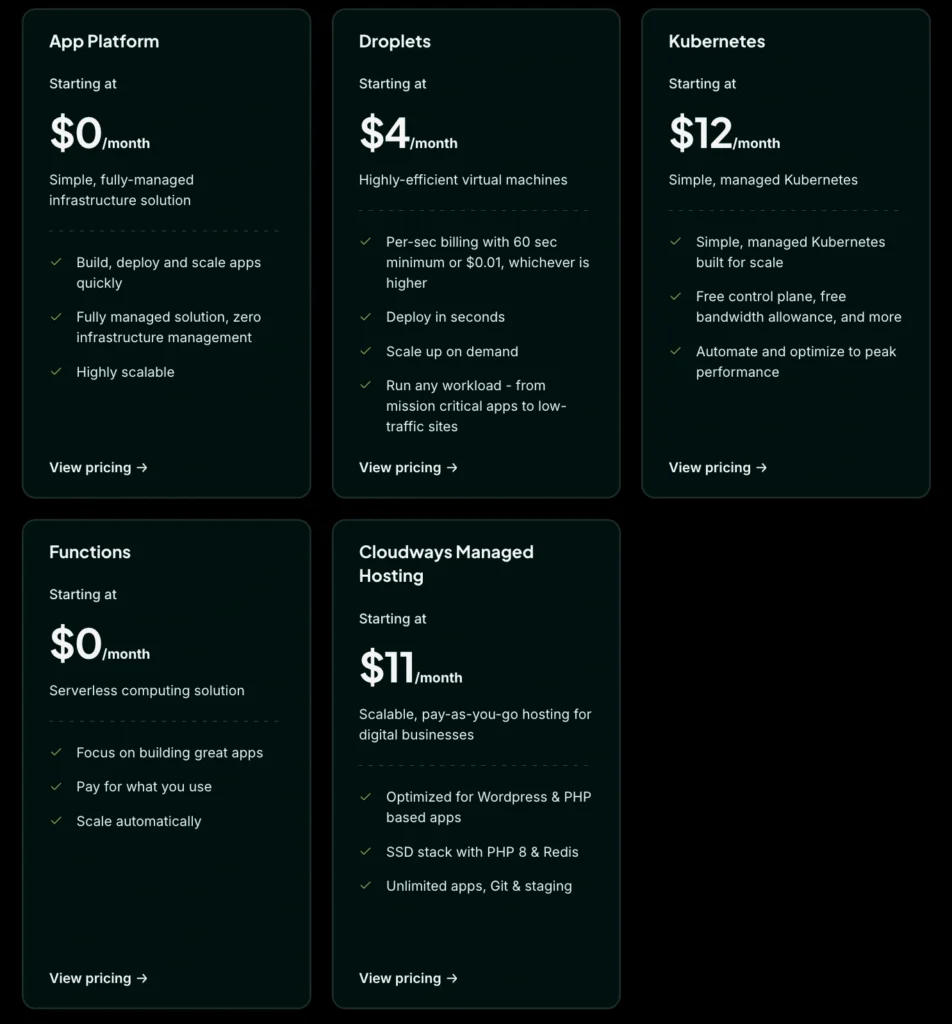
DigitalOcean has simple cloud pricing. Basic Droplets start at $4 per month. The more practical 1 GB Droplet costs $6 per month, while the 2 GB plan costs $12 per month.
| DigitalOcean Product | Starting Price | Best For |
|---|---|---|
| Basic Droplets | From $4/month | Small websites, test apps, development servers |
| 1 GB Basic Droplet | $6/month | Small live websites and lightweight apps |
| 2 GB Basic Droplet | $12/month | Growing websites and small production apps |
| 4 GB Basic Droplet | $24/month | WordPress, APIs, ecommerce, SaaS workloads |
| CPU Optimized Droplets | From $42/month | CPU heavy applications |
| General Purpose Droplets | From $63/month | Balanced production workloads |
| App Platform Static Tier | $0/month | Static websites and portfolios |
| App Platform Paid Apps | From $5/month | Managed app deployment |
| Managed Databases | From $15/month | PostgreSQL, MySQL, MongoDB, Valkey, and more |
| Spaces Object Storage | From $5/month | Files, images, backups, and static assets |
| Volumes Block Storage | From $10/month | Extra storage for Droplets |
| Load Balancers | From $12/month | Traffic distribution and high availability |
| Kubernetes | From $12/month for worker resources | Container based applications |
| Backups | 20% to 30% of Droplet cost | Automated server backups |
DigitalOcean’s pricing is easy to understand, but the real cost depends on the services you add.
A small test project can run on a $4 or $6 Droplet. A serious business website may need a $12 or $24 Droplet, automatic backups, object storage, a managed database, and maybe a load balancer. That can move the monthly cost closer to $30 to $80 depending on the setup.
DigitalOcean Pros
| Pros | Why It Matters |
|---|---|
| Very easy to use | The dashboard is clean and beginner friendly for cloud users |
| Excellent documentation | Tutorials are clear and practical |
| Low starting price | Droplets start at $4/month |
| Strong App Platform | Good for users who do not want to manage servers |
| Predictable pricing | Easier to estimate monthly bills |
| Good managed databases | Useful for production apps |
| Great for startups | Easy to start small and scale later |
| Strong developer tools | API, CLI, Git workflows, marketplace apps |
| Good WordPress resources | Helpful for technical WordPress users |
| Built in cloud ecosystem | Compute, databases, storage, Kubernetes, and networking in one place |
DigitalOcean Cons
| Cons | Why It Matters |
|---|---|
| Not fully beginner hosting | You still need basic server knowledge |
| No cPanel by default | Shared hosting users may find it unfamiliar |
| Add ons increase cost | Backups, databases, storage, and load balancers cost extra |
| Free support is limited | Production users may need paid support |
| 1 GB plan costs more than Linode | DigitalOcean charges $6/month for common 1 GB Droplet |
| Less focused on Akamai style edge network | Linode benefits from Akamai’s wider network background |
| Security setup is your responsibility | You must manage updates, firewalls, SSH, and backups |
Linode Overview
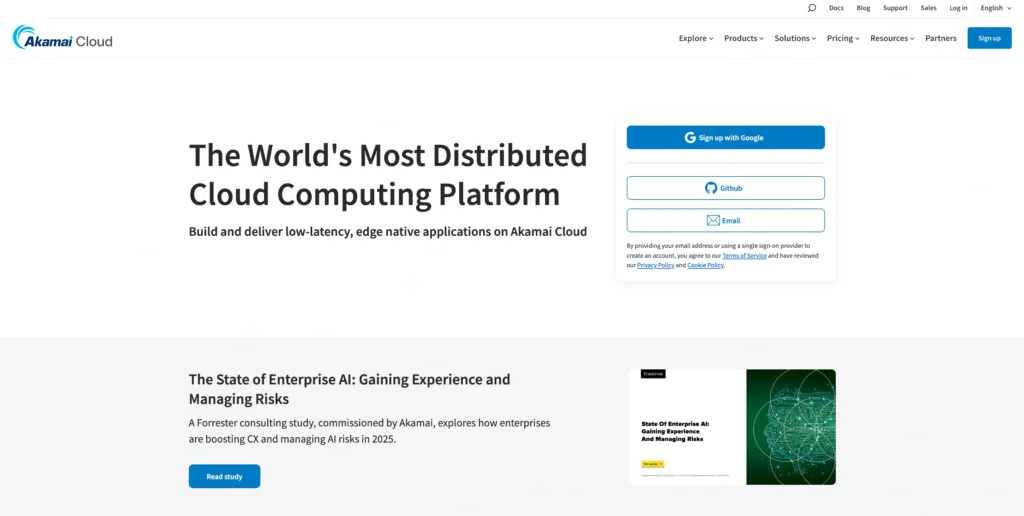
Linode is a long running cloud hosting provider that is now part of Akamai Cloud. It is popular among developers, Linux users, DevOps teams, agencies, and businesses that want reliable cloud compute with predictable pricing.
Linode’s core product is its cloud compute instance, often still called a Linode. These virtual servers can be used for websites, apps, APIs, databases, staging environments, and production workloads.
Since Akamai acquired Linode, the platform has become part of a larger cloud and edge computing ecosystem. That gives Linode a stronger story around global infrastructure, low latency delivery, security, and network performance.
Linode is not as beginner friendly as DigitalOcean in terms of learning resources and managed app deployment. But it is a strong choice for users who are comfortable with Linux servers and want solid cloud compute at fair pricing.
Linode Features
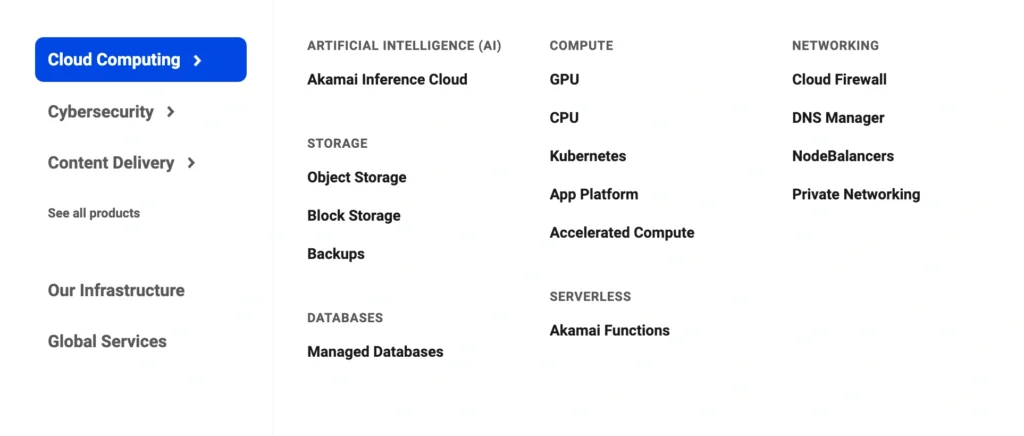
Linode offers the core cloud products most developers and infrastructure teams need. It does not feel as polished as DigitalOcean for beginners, but it is powerful and practical.
| Linode Feature | Details |
|---|---|
| Shared CPU Instances | Affordable cloud servers for websites, staging, and general workloads |
| Dedicated CPU Instances | Consistent CPU performance for production apps |
| High Memory Instances | Designed for memory heavy workloads such as caching and analytics |
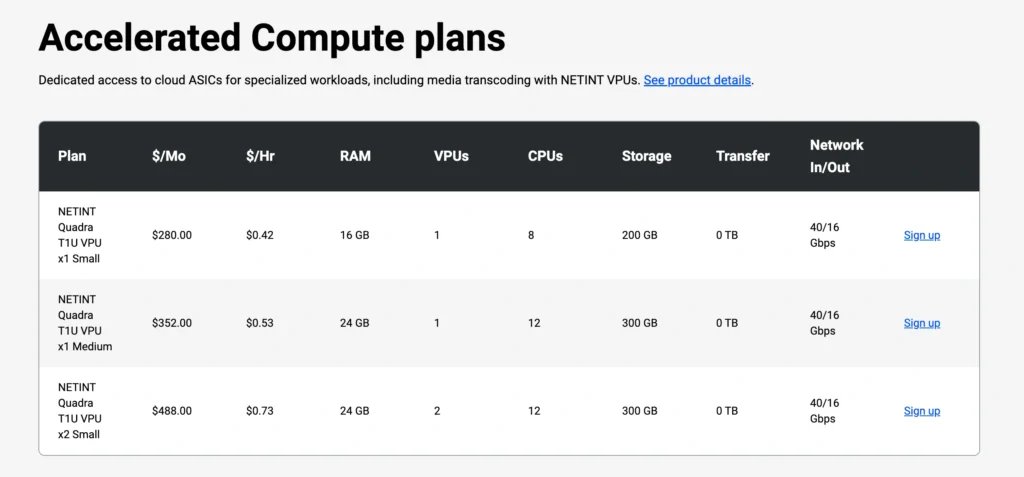
| GPU and Accelerated Compute | Useful for AI, media processing, inference, and heavy compute tasks |
| Managed Databases | Fully managed MySQL and PostgreSQL |
| Linode Kubernetes Engine | Managed Kubernetes for container based workloads |
| Object Storage | Storage for files, backups, images, and static assets |
| Block Storage | Extra storage attached to cloud instances |
| NodeBalancers | Managed load balancers for distributing traffic |
| Cloud Firewalls | Network security controls for cloud instances |
| VPC Networking | Private networking between cloud resources |
| Backups and Images | Recovery and server duplication tools |
| Marketplace Apps | One click apps for WordPress, Docker, LAMP, and other stacks |
| API and CLI | Useful for automation and infrastructure management |
| Akamai Cloud Manager | Dashboard for managing cloud resources |
Linode’s strongest area is core compute. Shared CPU plans are good for low to medium traffic workloads, while Dedicated CPU plans are better for production apps, databases, CI/CD, game servers, and workloads that need consistent performance.
Linode also has a strong pricing advantage for network transfer. Its egress overage is generally lower than DigitalOcean’s public internet egress overage. This matters if your project sends a lot of outbound traffic.
Linode Pricing
Linode pricing starts at $5 per month for a Shared CPU plan with 1 vCPU, 1 GB memory, 25 GB SSD storage, and 1 TB transfer. Larger Shared CPU plans scale up from there.
| Linode Product | Starting Price | Best For |
|---|---|---|
| Shared CPU Nanode 1 GB | $5/month | Small websites, testing, development |
| Shared CPU 2 GB | $12/month | Small apps and growing websites |
| Shared CPU 4 GB | $24/month | WordPress, APIs, business websites |
| Shared CPU 8 GB | $48/month | Larger apps and production workloads |
| Dedicated CPU | From $36/month | Consistent performance workloads |
| High Memory Plans | From $60/month | Memory heavy apps, caching, analytics |
| Managed Databases | Monthly pricing based on node size and cluster size | MySQL and PostgreSQL |
| Object Storage | $5/month minimum with 250 GB included | Files, media, backups, assets |
| Block Storage | Around $0.10 per GB, starting at 10 GB | Extra storage for instances |
| NodeBalancers | From $10/month | Load balancing and high availability |
| Kubernetes | Pay for worker resources | Container based apps |
| Managed Service | $100 per compute instance per month | Extra support for managed infrastructure |
Linode is competitive on core cloud server pricing. Its $5/month entry plan gives 1 GB memory, while DigitalOcean’s $4 plan has less memory. DigitalOcean’s comparable 1 GB Droplet is $6/month.
That gives Linode a slight advantage for simple VPS value.
Linode also has a strong transfer pricing model. It offers pooled transfer across many instances, and overage is usually lower than DigitalOcean. For projects with heavy outbound traffic, this can make a real difference.
Linode Pros
| Pros | Why It Matters |
|---|---|
| Strong VPS value | $5/month plan includes 1 GB memory |
| Good compute performance | Strong for Linux servers and production apps |
| Backed by Akamai | Better network and edge infrastructure story |
| Low egress overage | Useful for traffic heavy projects |
| Predictable pricing | Easier to control monthly costs |
| Dedicated CPU options | Good for serious production workloads |
| High Memory plans | Useful for memory heavy workloads |
| Managed databases available | MySQL and PostgreSQL hosting without manual database management |
| NodeBalancers are affordable | Starts lower than DigitalOcean Load Balancers |
| Good for DevOps users | Strong infrastructure control |
Linode Cons
| Cons | Why It Matters |
|---|---|
| Not as beginner friendly as DigitalOcean | Learning curve can be slightly higher |
| Documentation is good, but not as strong as DigitalOcean | DigitalOcean has better tutorials for common tasks |
| No App Platform like DigitalOcean | Less convenient for managed app deployment |
| Managed databases are more limited | DigitalOcean supports more database engines |
| Interface can feel more technical | Better for users who already know servers |
| Fewer beginner focused workflows | Not ideal for non technical users |
| Add ons still increase cost | Databases, storage, backups, and load balancers cost extra |
DigitalOcean vs Linode Feature Comparison
| Feature | DigitalOcean | Linode | Winner |
|---|---|---|---|
| Cloud servers | Yes | Yes | Tie |
| Lowest entry price | $4/month | $5/month | DigitalOcean |
| Better 1 GB value | $6/month | $5/month | Linode |
| Ease of use | Very easy | Easy, but more technical | DigitalOcean |
| Documentation | Excellent | Good | DigitalOcean |
| Managed app hosting | Strong App Platform | Limited | DigitalOcean |
| Managed databases | More database engines | MySQL and PostgreSQL | DigitalOcean |
| Kubernetes | Yes | Yes | Tie |
| Object storage | From $5/month | $5/month minimum | Tie |
| Load balancers | From $12/month | From $10/month | Linode |
| Egress overage | Around $0.01 per GiB | Usually $0.005 per GB | Linode |
| Dedicated CPU | Yes | Yes | Tie |
| High memory compute | Yes | Yes | Tie |
| Marketplace apps | Yes | Yes | Tie |
| Best for beginners | Stronger | Moderate | DigitalOcean |
| Best for DevOps teams | Good | Strong | Linode |
DigitalOcean vs Linode Pricing Comparison
| Product Type | DigitalOcean | Linode |
|---|---|---|
| Lowest VPS Plan | $4/month | $5/month |
| Common 1 GB Plan | $6/month | $5/month |
| 2 GB Plan | $12/month | $12/month |
| 4 GB Plan | $24/month | $24/month |
| 8 GB Plan | Around $48/month | $48/month |
| Managed Database Entry | From $15/month | Based on cluster size and node type |
| Object Storage | From $5/month | $5/month minimum with 250 GB included |
| Load Balancer | From $12/month | From $10/month |
| Public Egress Overage | $0.01 per GiB | Usually $0.005 per GB |
| Block Storage | From $10/month | Around $0.10 per GB, 10 GB minimum |
For simple VPS hosting, Linode has a small pricing advantage because its $5/month plan includes 1 GB memory. DigitalOcean has a cheaper $4 plan, but that plan has less memory and is better for tiny projects, tests, or lightweight workloads.
For 2 GB and 4 GB servers, both are very close. At that level, the decision should depend more on ease of use, support needs, database needs, location, and workflow.
Which One Is Better for WordPress?
Both DigitalOcean and Linode can run WordPress well, but DigitalOcean is easier for most users.
DigitalOcean has better WordPress tutorials, a cleaner setup experience, and strong marketplace apps. If you are a blogger, agency, or small business with some technical comfort, DigitalOcean is easier to recommend.
Linode can also run WordPress very well. In fact, its $5/month 1 GB plan can be attractive for a small WordPress site. But you need to be comfortable with server setup, security, caching, PHP, database tuning, and backups.
For beginners, DigitalOcean is better.
For experienced Linux users, both are good.
Which One Is Better for Developers?
DigitalOcean is better for developers who want a simple workflow, fast onboarding, App Platform, strong docs, managed databases, and clean UI.
Linode is better for developers who want strong compute value, lower egress pricing, Dedicated CPU options, High Memory options, and Akamai backed infrastructure.
If you want to build and deploy quickly, DigitalOcean feels easier.
If you care more about server level control and cost efficient infrastructure, Linode is very strong.
Which One Is Better for Startups?
DigitalOcean is better for early stage startups that want speed and simplicity. You can start with a small Droplet, move to App Platform, add managed databases, attach object storage, use load balancers, and scale over time.
Linode is better for startups with a technical infrastructure team. If your team already has DevOps skills and cares about transfer costs, compute value, and Akamai’s network, Linode can be a smart choice.
For most small startup teams, DigitalOcean is easier.
For infrastructure heavy startups, Linode may be better.
Which One Is Better for Agencies?
DigitalOcean is better for agencies that want to host client sites, staging environments, small apps, and WordPress projects with cleaner management.
The documentation helps when onboarding team members. The dashboard is easier to explain. App Platform is also useful for agencies building apps for clients.
Linode is better for agencies that already have technical staff and want cost control across multiple servers. The $5 entry plan and lower egress pricing can help if you manage many client workloads.
Final Verdict: DigitalOcean vs Linode
DigitalOcean and Linode are both excellent cloud hosting providers, but they serve slightly different users.
DigitalOcean is better for simplicity, documentation, App Platform, beginner friendly cloud hosting, managed services, and fast deployment. It is the better choice for developers, startups, agencies, SaaS builders, and small businesses that want cloud hosting without unnecessary complexity.
Linode is better for core compute value, DevOps users, low egress pricing, Dedicated CPU workloads, High Memory workloads, and users who like Akamai’s infrastructure direction. It is a strong choice for technical teams that already know how to manage Linux servers.
If you want the easiest cloud hosting experience, choose DigitalOcean.
If you want strong VPS value and lower bandwidth overage, choose Linode.
For most beginners and small teams, DigitalOcean is the safer choice. For experienced developers and infrastructure focused teams, Linode is still a very strong option.