
DigitalOcean and Hetzner are both popular cloud hosting providers, but they serve slightly different users.
DigitalOcean is known for simplicity, clean dashboard design, strong documentation, managed databases, App Platform, Kubernetes, object storage, and developer friendly cloud tools.
Hetzner is known for strong price to performance, powerful VPS plans, dedicated servers, generous traffic allowance, European data centers, and low infrastructure costs for technical users.
If you are a beginner developer, startup founder, agency, or small business owner who wants cloud hosting that feels easier to manage, DigitalOcean is usually the safer choice.
If you are more technical and want maximum server resources for the money, Hetzner can be a very strong option.
The main difference is simple.
DigitalOcean is easier.
Hetzner is more cost focused.
Quick Comparison Table
| Category | DigitalOcean | Hetzner |
|---|---|---|
| Best For | Developers, startups, agencies, SaaS apps | Technical users, developers, budget focused teams |
| Starting Price | From $4/month | From around €5.49/month for common CX cloud plans, excluding IPv4 |
| Ease of Use | Very easy | Easy, but more technical |
| Documentation | Excellent | Good |
| Managed App Hosting | Strong App Platform | Not available in the same way |
| Managed Databases | Yes | Not a main cloud feature |
| Cloud VPS | Yes | Yes |
| Dedicated Servers | Limited compared to Hetzner | Strong dedicated server lineup |
| Object Storage | Yes | Yes |
| Block Storage | Yes | Yes |
| Load Balancers | Yes | Yes |
| Kubernetes | Yes | Yes |
| Global Locations | Good | More limited, strongest in Europe |
| Best For Beginners | DigitalOcean | Not ideal |
| Best For Raw Value | Good | Hetzner |
| Best For Managed Cloud Features | DigitalOcean | Limited |
DigitalOcean Overview
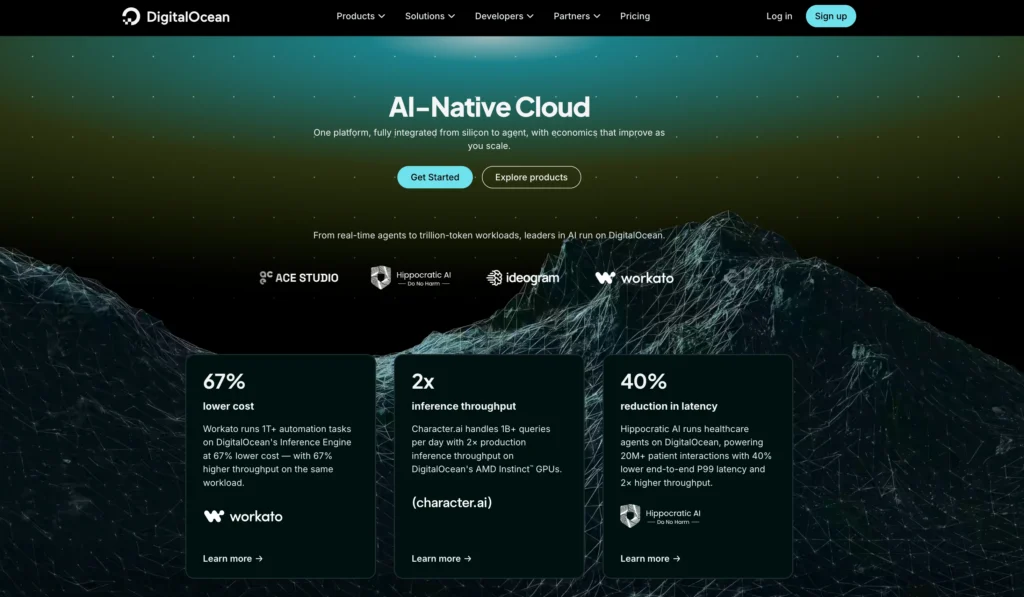
DigitalOcean is a cloud infrastructure provider built for developers, startups, agencies, and small businesses that want simple cloud hosting without the complexity of AWS, Google Cloud, or Azure.
Its main product is called a Droplet. A Droplet is a cloud virtual machine that can be used for websites, apps, APIs, development servers, databases, WordPress sites, and production workloads.
DigitalOcean is popular because it makes cloud hosting easier to understand. The dashboard is clean, pricing is simple, and the documentation is very beginner friendly for developers.
It is not the same as shared hosting. You still need to understand servers, SSH, firewalls, backups, operating system updates, and basic security. But compared with many cloud platforms, DigitalOcean is easier to learn.
DigitalOcean is best for users who want a balanced cloud platform with hosting, databases, storage, deployment tools, networking, monitoring, and developer workflows in one place.
DigitalOcean Features
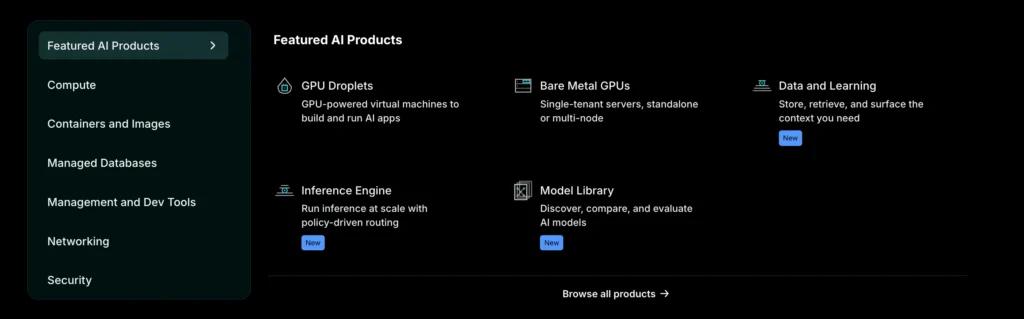
DigitalOcean offers a full cloud ecosystem. It is not just a VPS provider anymore. You can start with a small Droplet and later add managed databases, object storage, load balancers, Kubernetes, and App Platform.
| DigitalOcean Feature | Details |
|---|---|
| Droplets | Cloud virtual machines for websites, apps, APIs, and custom workloads |
| App Platform | Managed app hosting for developers who do not want to manage servers manually |
| Managed Databases | Supports PostgreSQL, MySQL, MongoDB, Valkey, Kafka, and OpenSearch |
| Kubernetes | Managed Kubernetes service for container based applications |
| Spaces Object Storage | S3 compatible storage for files, images, backups, and static assets |
| Volumes Block Storage | Extra SSD storage that can be attached to Droplets |
| Load Balancers | Distributes traffic across multiple servers |
| Cloud Firewalls | Helps secure servers by controlling network traffic |
| VPC Networking | Private networking between cloud resources |
| Monitoring and Alerts | Tracks resource usage and server health |
| Snapshots and Backups | Helps restore servers and protect data |
| Marketplace Apps | One click apps such as WordPress, Docker, LAMP, Node.js, and more |
| API and CLI | Useful for automation and developer workflows |
| Functions | Serverless compute for event based workloads |
The biggest advantage of DigitalOcean is convenience. You can manage servers, databases, storage, networking, and app deployments from one clean interface.
Its App Platform is especially useful for developers who want to deploy apps without handling server setup. You can connect your code repository, deploy apps, add HTTPS, scale resources, and manage deployments with less DevOps work.
This is where DigitalOcean feels more modern and beginner friendly than Hetzner.
DigitalOcean Pricing
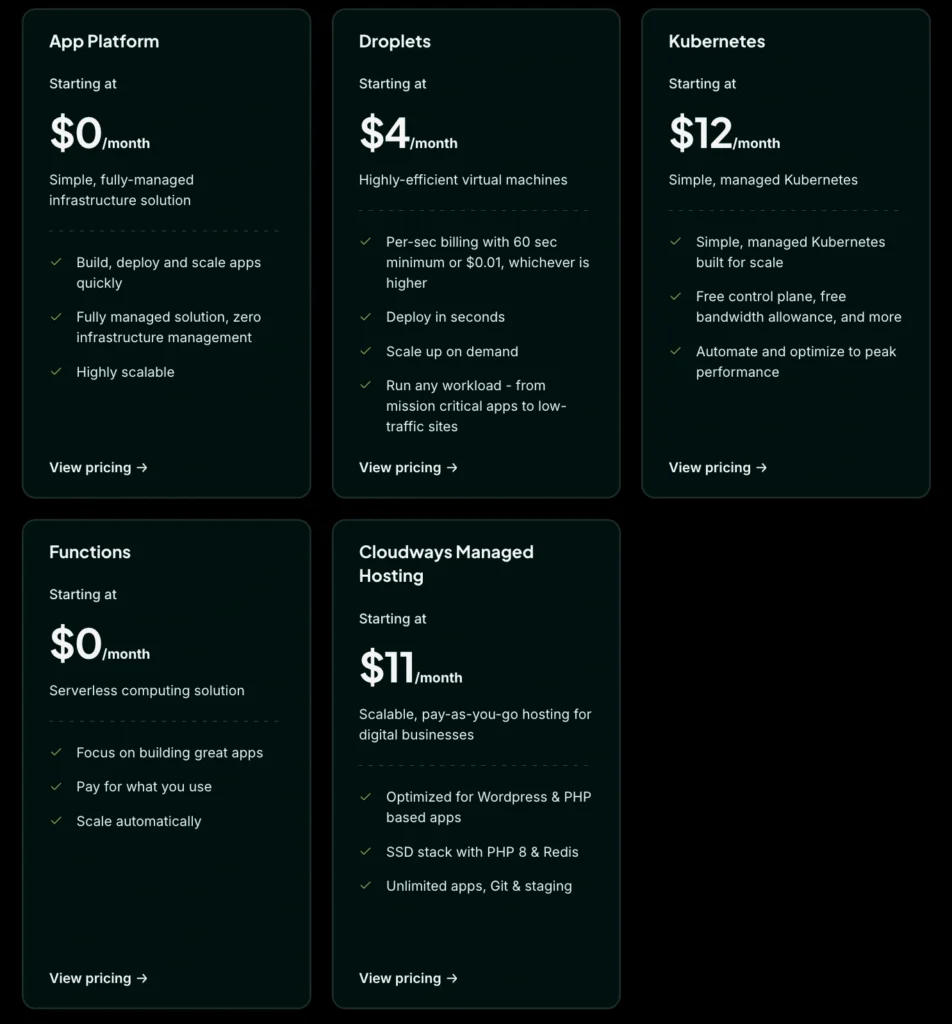
DigitalOcean pricing is simple and predictable. Basic Droplets start at $4 per month. The practical 1 GB RAM Droplet costs $6 per month, while the 2 GB RAM plan costs $12 per month.
| DigitalOcean Product | Starting Price | Best For |
|---|---|---|
| Basic Droplets | From $4/month | Small websites, test apps, development servers |
| 1 GB Basic Droplet | $6/month | Small live websites and lightweight apps |
| 2 GB Basic Droplet | $12/month | Growing websites and simple apps |
| 4 GB Basic Droplet | $24/month | WordPress, APIs, ecommerce, SaaS apps |
| CPU Optimized Droplets | From $42/month | CPU heavy workloads |
| General Purpose Droplets | From $63/month | Balanced production workloads |
| App Platform Static Tier | $0/month | Static websites and portfolios |
| App Platform Paid Apps | From $5/month | Managed app deployment |
| Managed Databases | From around $15/month | PostgreSQL, MySQL, MongoDB, Valkey, and more |
| Spaces Object Storage | From $5/month | Media files, backups, static assets |
| Volumes Block Storage | From $10/month | Extra storage for Droplets |
| Load Balancers | From $12/month | Traffic distribution |
| Kubernetes | Pay for worker resources | Container based applications |
| Backups | 20% to 30% of Droplet cost | Automated backups |
DigitalOcean is not always the cheapest provider. Hetzner often gives more CPU, RAM, storage, and bandwidth for the money.
But DigitalOcean wins on pricing clarity. You can understand its pricing faster, especially if you are building a normal website, app, or SaaS project.
A small website may run on a $6 or $12 Droplet. A serious business setup may include a Droplet, backups, managed database, Spaces storage, and a load balancer. In that case, the real monthly cost can become $30 to $100 plus depending on the setup.
DigitalOcean Pros
| Pros | Why It Matters |
|---|---|
| Very easy to use | Clean dashboard and simple setup |
| Excellent documentation | Tutorials are clear and useful |
| Low starting price | Droplets start at $4/month |
| Strong App Platform | Good for app deployment without server management |
| Managed databases | Useful for production apps and SaaS projects |
| Good cloud ecosystem | Servers, databases, storage, networking, and monitoring in one place |
| Predictable pricing | Easier to estimate monthly bills |
| Great for developers | API, CLI, marketplace apps, Git based workflows |
| Better for beginners | Easier than Hetzner for new cloud users |
| Good WordPress resources | Helpful tutorials and one click options |
DigitalOcean Cons
| Cons | Why It Matters |
|---|---|
| More expensive for resources | Hetzner often gives more hardware for the money |
| Not fully managed hosting | You still need server knowledge |
| No cPanel by default | Shared hosting users may find it unfamiliar |
| Add ons increase cost | Databases, backups, storage, and load balancers cost extra |
| Less attractive for high bandwidth users | Hetzner can be better for traffic heavy projects |
| Dedicated server options are weaker | Hetzner is much stronger for dedicated hardware |
| Free support is limited | Production users may need paid support |
Hetzner Overview
Hetzner is a German hosting and cloud infrastructure provider known for affordable cloud servers, dedicated servers, storage products, and strong price to performance.
It is especially popular with developers, technical website owners, Linux users, DevOps teams, and businesses that want powerful infrastructure at a low cost.
Hetzner’s cloud servers are attractive because they often include more CPU, RAM, storage, and traffic allowance than many competitors at similar prices. It also has a strong dedicated server lineup, which makes it appealing for users who need serious hardware without paying enterprise cloud prices.
The tradeoff is that Hetzner feels more technical. It does not have the same beginner friendly ecosystem as DigitalOcean. It also does not offer the same type of managed app hosting or wide managed database lineup.
Hetzner is best for people who know how to manage servers and want strong value.
Hetzner Features
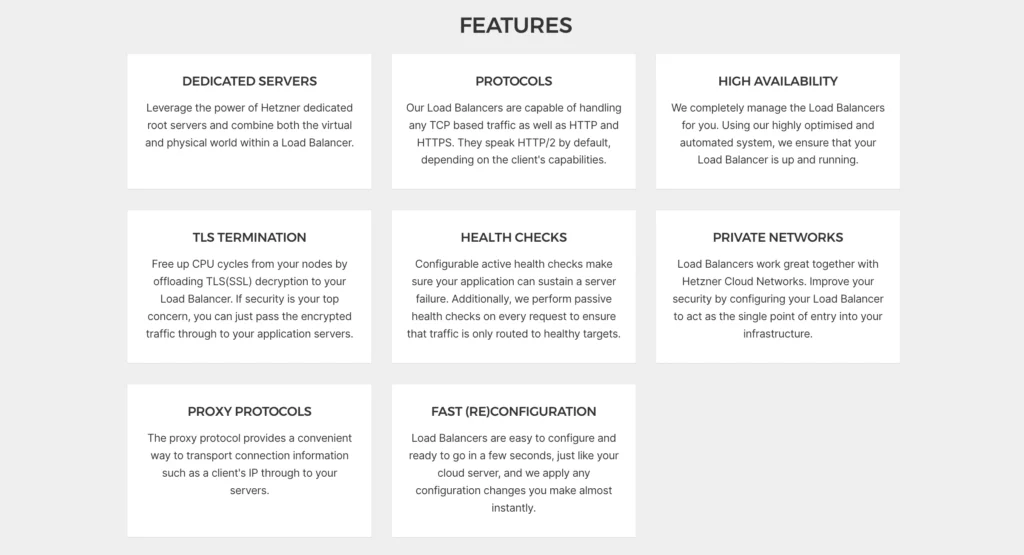
Hetzner gives users a practical set of cloud and hosting products. It is especially strong for VPS hosting, dedicated servers, storage, and high bandwidth workloads.
| Hetzner Feature | Details |
|---|---|
| Cloud Servers | VPS instances for websites, apps, APIs, and custom workloads |
| Cost Optimized Plans | Shared resource plans for low cost cloud hosting |
| Regular Performance Plans | Better shared CPU options for general use |
| General Purpose Plans | Dedicated vCPU plans for consistent performance |
| Dedicated Root Servers | Physical servers for high performance workloads |
| Server Auction | Discounted older dedicated servers for budget users |
| Object Storage | S3 compatible storage for files, backups, and static assets |
| Volumes | Block storage that can be attached to cloud servers |
| Load Balancers | Distributes traffic across servers |
| Firewalls | Cloud firewalls available without extra cost |
| Private Networks | Private communication between cloud servers |
| Floating IPs | Useful for failover and high availability setups |
| Snapshots and Backups | Recovery and server duplication tools |
| Kubernetes Support | Hetzner Cloud can be used for Kubernetes clusters |
| API and CLI | Useful for automation and infrastructure management |
Hetzner’s strongest feature is value. You often get more server resources compared with DigitalOcean, especially for users hosting in Europe.
It is also a great option for dedicated servers. If you need a physical machine for databases, virtualization, storage, game servers, heavy workloads, or private infrastructure, Hetzner is one of the strongest budget friendly providers.
However, Hetzner is not as polished for managed app deployment. If you want to push code from GitHub and let the platform handle the deployment flow, DigitalOcean App Platform is easier.
Hetzner Pricing
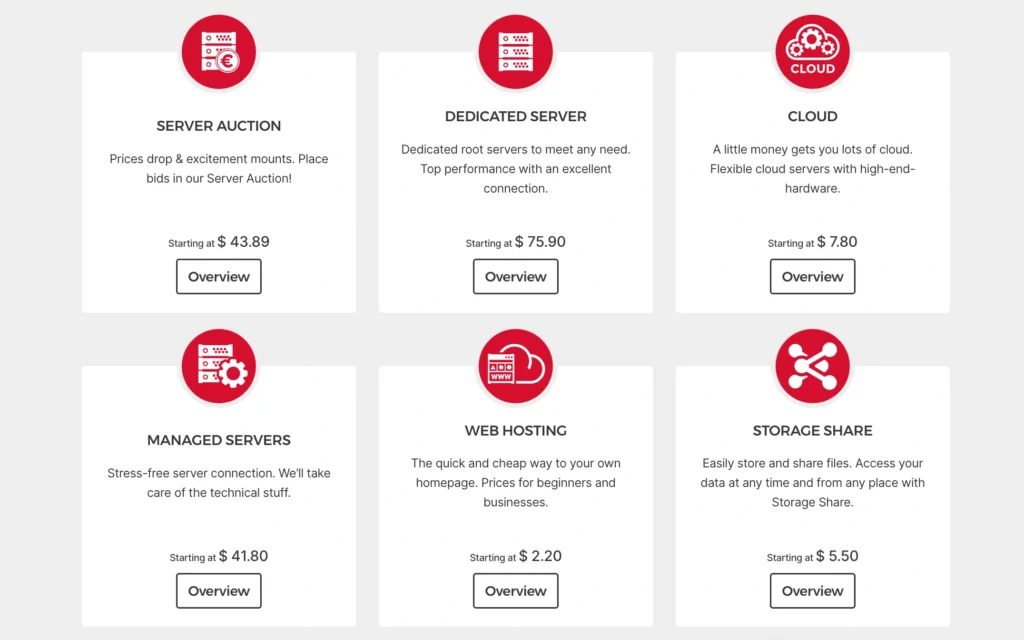
Hetzner pricing is strong, but it has become more region dependent after recent pricing changes. Prices can differ between Europe, USA, and Singapore. Some prices are also shown excluding VAT and excluding IPv4, so you need to check the final checkout price carefully.
| Hetzner Product | Starting Price | Best For |
|---|---|---|
| CX Cloud Servers | From around €5.49/month in Europe, excluding IPv4 | Budget cloud hosting and small apps |
| CAX ARM Cloud Servers | From around €5.99/month in Europe, excluding IPv4 | ARM compatible workloads |
| CPX Cloud Servers | Higher starting price after June pricing changes | Better shared CPU performance |
| CCX Dedicated vCPU Servers | Higher monthly price | Consistent production workloads |
| Dedicated Root Servers | From around €44/month | Dedicated hardware workloads |
| Object Storage | From around €6.49/month base price | Files, backups, static assets |
| Volumes Block Storage | Billed hourly with monthly cap | Extra storage for cloud servers |
| Load Balancers | Billed hourly with monthly cap | Traffic distribution |
| Firewalls | No extra charge | Basic network security |
| Backups | Extra cost | Automated recovery points |
| Snapshots | Charged by storage usage | Manual server images |
Hetzner usually gives strong value when you compare raw resources. For example, a low cost Hetzner cloud server can include more RAM and transfer than a similar priced DigitalOcean Droplet.
But pricing is not as simple as saying Hetzner is always cheaper. Recent pricing changes made some Hetzner cloud families more expensive, especially CPX and CCX plans in certain regions. You also need to account for VAT, IPv4 cost, location, backups, snapshots, storage, and traffic rules.
For users who want European hosting and strong raw server value, Hetzner is still very attractive.
For users who want easier managed cloud services, DigitalOcean may be worth the extra cost.
Hetzner Pros
| Pros | Why It Matters |
|---|---|
| Strong price to performance | Often gives more resources for the money |
| Great for technical users | Good control over servers and infrastructure |
| Powerful dedicated servers | Stronger than DigitalOcean for dedicated hardware |
| Generous traffic allowance | Useful for bandwidth heavy workloads |
| Good European infrastructure | Strong choice for users targeting Europe |
| Object storage available | Useful for backups, media, and static files |
| Free cloud firewalls | Helpful for basic security |
| Hourly billing with monthly cap | Good for temporary workloads |
| Server auction available | Budget option for dedicated servers |
| Good API support | Useful for automation |
Hetzner Cons
| Cons | Why It Matters |
|---|---|
| Less beginner friendly | Better for users who already understand servers |
| Documentation is not as strong as DigitalOcean | DigitalOcean tutorials are easier for beginners |
| No App Platform equivalent | Less convenient for managed app deployment |
| Managed database options are limited | DigitalOcean is stronger for managed databases |
| Fewer global regions | DigitalOcean has broader cloud location coverage |
| Pricing can be confusing | Region, VAT, IPv4, and recent price changes matter |
| Support can feel strict | Account verification and support policies may feel less flexible |
| Not ideal for non technical WordPress users | You need server management knowledge |
DigitalOcean vs Hetzner Feature Comparison
| Feature | DigitalOcean | Hetzner | Winner |
|---|---|---|---|
| Cloud VPS | Yes | Yes | Tie |
| Lowest starting price | From $4/month | From around €5.49/month for CX plans | DigitalOcean |
| Raw resource value | Good | Strong | Hetzner |
| Ease of use | Very easy | More technical | DigitalOcean |
| Documentation | Excellent | Good | DigitalOcean |
| Managed app hosting | Strong App Platform | Limited | DigitalOcean |
| Managed databases | Strong | Limited | DigitalOcean |
| Object storage | Yes | Yes | Tie |
| Block storage | Yes | Yes | Tie |
| Load balancers | Yes | Yes | Tie |
| Firewalls | Yes | Yes | Tie |
| Dedicated servers | Limited | Strong | Hetzner |
| Server auction | No | Yes | Hetzner |
| European hosting value | Good | Strong | Hetzner |
| Beginner friendliness | Strong | Moderate | DigitalOcean |
| Advanced cost control | Good | Strong | Hetzner |
DigitalOcean vs Hetzner Pricing Comparison
| Product Type | DigitalOcean | Hetzner |
|---|---|---|
| Lowest Cloud VPS | From $4/month | From around €5.49/month for CX plans in Europe, excluding IPv4 |
| Practical Small Server | $6/month for 1 GB Droplet | Hetzner often gives more RAM at similar pricing |
| 2 GB to 4 GB Range | $12 to $24/month | Often better raw resource value |
| Managed Database | From around $15/month | Limited compared with DigitalOcean |
| Object Storage | From $5/month | From around €6.49/month base price |
| Load Balancer | From $12/month | Hourly billing with monthly cap |
| Dedicated Server | Not a main strength | From around €44/month |
| Backups | 20% to 30% of Droplet cost | Extra cost |
| Firewalls | Included | Included |
DigitalOcean is easier to understand.
Hetzner can be cheaper for serious resource usage, especially if you need more CPU, RAM, storage, or traffic.
But Hetzner pricing needs closer attention because region and configuration matter. If you need IPv4, backups, snapshots, load balancers, object storage, or dedicated hardware, always calculate the full monthly cost before choosing.
Which One Is Better for WordPress?
DigitalOcean is better for most WordPress users who are new to cloud hosting.
It has better tutorials, a cleaner dashboard, more one click resources, and a smoother learning curve. You can launch a WordPress Droplet, configure SSL, add backups, use Cloudflare, and improve performance with caching.
Hetzner can also run WordPress very well. In fact, experienced users may get better performance for the money on Hetzner. You can host high traffic WordPress sites, WooCommerce stores, and agency sites at a strong cost if you know how to configure Nginx, PHP, MariaDB, caching, backups, firewall rules, and monitoring.
For beginners, DigitalOcean is better.
For technical users, Hetzner can offer better value.
Which One Is Better for Developers?
DigitalOcean is better for developers who want an easier cloud workflow. App Platform, managed databases, Droplets, Kubernetes, Spaces, and strong documentation make it easier to build and deploy quickly.
Hetzner is better for developers who want affordable infrastructure and are comfortable managing everything themselves. If you prefer direct server control, Linux administration, Docker, self hosted databases, and custom deployments, Hetzner is excellent.
For app developers who want convenience, choose DigitalOcean.
For infrastructure focused developers who want lower costs, choose Hetzner.
Which One Is Better for Startups?
DigitalOcean is better for startups that want to move fast without building a full DevOps process from day one. You can start with Droplets, use App Platform for deployment, add managed databases, attach storage, and scale gradually.
Hetzner is better for startups with technical founders or DevOps skills. If the team knows how to manage servers, Hetzner can reduce infrastructure cost and provide strong resources for the money.
For early stage teams without dedicated infrastructure skills, DigitalOcean is safer.
For technical startups focused on cost efficiency, Hetzner is powerful.
Which One Is Better for Agencies?
DigitalOcean is better for agencies that manage client websites and apps but want a clean workflow. The dashboard is easier, documentation is stronger, and onboarding new team members is simpler.
Hetzner is better for agencies with in house server admins. If your team can manage security, updates, backups, monitoring, and scaling, Hetzner can be very cost effective for hosting multiple client projects.
For general agencies, DigitalOcean is easier.
For technical agencies, Hetzner may be cheaper at scale.
Which One Should You Choose?
Choose DigitalOcean if you want simple cloud hosting, strong documentation, managed databases, app deployment tools, predictable pricing, and a beginner friendly cloud experience.
Choose Hetzner if you want strong raw server value, dedicated servers, generous traffic, European hosting, and lower infrastructure cost for technical workloads.
DigitalOcean is better when ease of use matters more than the lowest possible price.
Hetzner is better when you care about getting more server resources for your budget and you know how to manage infrastructure properly.
Final Verdict: DigitalOcean vs Hetzner
DigitalOcean and Hetzner are both strong cloud hosting providers, but they are built for different types of users.
DigitalOcean is better for simplicity, documentation, managed services, app deployment, managed databases, and beginner friendly cloud hosting. It is a better choice for startups, developers, agencies, SaaS builders, and small businesses that want cloud hosting without too much technical friction.
Hetzner is better for price to performance, dedicated servers, high bandwidth projects, European hosting, and technical users who want maximum resources for the money.
If you are new to cloud hosting, choose DigitalOcean.
If you are experienced with Linux servers and want better raw value, choose Hetzner.
For most beginners and small teams, DigitalOcean is the safer choice. For advanced users and cost focused infrastructure teams, Hetzner can be the better deal.