
DigitalOcean Review: Quick Overview
DigitalOcean is one of the most popular cloud hosting platforms for developers, startups, agencies, SaaS companies, and small businesses that want powerful infrastructure without dealing with the heavy complexity of AWS, Google Cloud, or Microsoft Azure.
The platform is best known for its cloud virtual machines called Droplets. These are simple Linux based servers that can be launched quickly and scaled as your website, app, or business grows. Over the years, DigitalOcean has expanded beyond basic cloud servers and now offers managed databases, Kubernetes, object storage, load balancers, App Platform, serverless functions, container registry, monitoring, firewalls, backups, and AI focused infrastructure.
The biggest reason people choose DigitalOcean is simple pricing. You know what you are paying for, the dashboard is clean, and the products are easier to understand compared to traditional enterprise cloud providers.
That does not mean DigitalOcean is perfect for everyone. If you are a complete beginner who wants cPanel hosting, one click email hosting, phone support, and a fully managed WordPress experience, DigitalOcean can feel technical. But if you are comfortable with servers, developers, SSH, Linux, or managed cloud tools, it gives you strong performance at a fair price.
DigitalOcean Review Verdict
DigitalOcean is a strong choice for developers, startups, SaaS projects, web apps, ecommerce stores, agencies, and businesses that want flexible cloud hosting with predictable pricing. Its Droplets start at $4 per month, App Platform starts with a free static site tier, and managed databases start around $15 per month.
The platform gives you more control than shared hosting and less complexity than AWS. That balance is what makes it attractive.
The main drawback is that DigitalOcean is still a cloud infrastructure platform. You may need technical knowledge to manage servers properly, secure your setup, configure backups, monitor performance, and troubleshoot issues.
If you want simple cloud hosting with room to grow, DigitalOcean is worth considering. If you want a hands off hosting provider where everything is managed for you, Cloudways, Kinsta, SiteGround, or managed WordPress hosting may be easier.
What Is DigitalOcean?
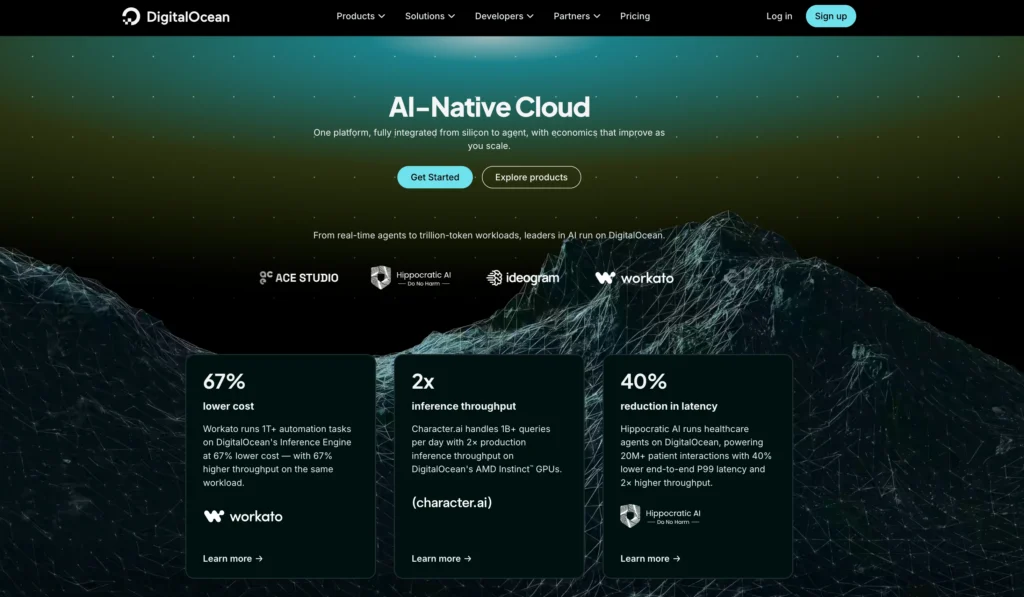
DigitalOcean is a cloud computing platform built around simplicity, developer experience, and predictable pricing. Instead of offering hundreds of confusing services, DigitalOcean focuses on the core tools most builders need to deploy websites, apps, databases, APIs, containers, and storage.
Its main products include:
| DigitalOcean Product | What It Does | Best For |
|---|---|---|
| Droplets | Cloud virtual machines | Websites, apps, APIs, custom servers |
| App Platform | Managed app hosting | Developers who do not want server management |
| Managed Databases | Hosted MySQL, PostgreSQL, MongoDB, Valkey, Kafka, OpenSearch | Apps that need reliable database hosting |
| Kubernetes | Managed Kubernetes clusters | Container based applications |
| Spaces | S3 compatible object storage | Images, videos, backups, static files |
| Volumes | Block storage | Extra SSD storage for Droplets |
| Load Balancers | Traffic distribution | Production apps and high traffic sites |
| Container Registry | Private image storage | Docker based development |
| Functions | Serverless compute | Event based workloads |
| Monitoring and Alerts | Resource visibility | Server health tracking |
The platform is especially useful when you want more control than shared hosting but do not want to spend weeks learning enterprise cloud pricing.
Who Is DigitalOcean Best For?
DigitalOcean is best for users who want clean cloud infrastructure without unnecessary complexity. It fits developers and technical founders very well because it gives direct control over servers, networking, storage, and deployment.
It is a good fit for:
| User Type | Why DigitalOcean Makes Sense |
|---|---|
| Developers | Easy server deployment, API access, CLI tools, Git based workflows |
| Startups | Low starting cost with room to scale |
| Agencies | Ability to host multiple client sites and apps |
| SaaS companies | Droplets, databases, load balancers, and Kubernetes in one place |
| Bloggers with technical help | Better performance than basic shared hosting |
| Ecommerce stores | Scalable infrastructure with load balancing and managed databases |
| App builders | App Platform, containers, APIs, and serverless options |
DigitalOcean is not the easiest choice for non technical users who want everything preconfigured. You can install WordPress, run a website, and manage apps on DigitalOcean, but server maintenance is still your responsibility unless you use a managed layer like Cloudways or App Platform.
DigitalOcean Features Review
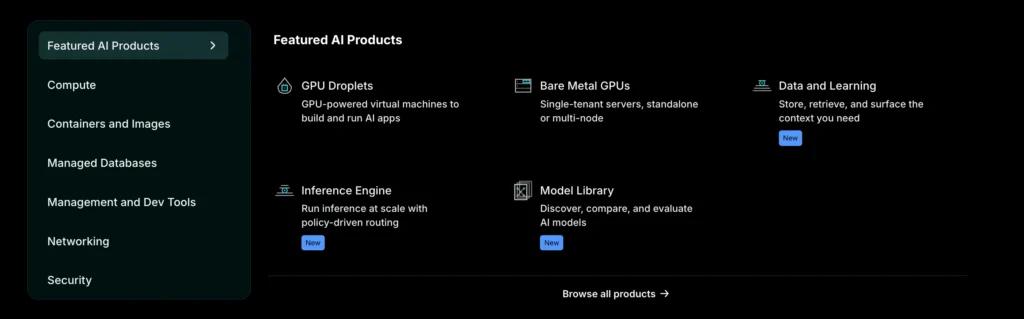
1. Droplets
Droplets are the heart of DigitalOcean. A Droplet is a Linux based virtual machine that works like a cloud server. You can choose the CPU, RAM, SSD storage, data transfer allowance, operating system, region, backups, and additional features.
DigitalOcean offers several Droplet types:
| Droplet Type | Best For |
|---|---|
| Basic Droplets | Small websites, blogs, staging apps, low traffic projects |
| CPU Optimized Droplets | CPU heavy apps, analytics, media processing |
| General Purpose Droplets | Balanced production workloads |
| Memory Optimized Droplets | Databases, cache layers, memory heavy apps |
| Storage Optimized Droplets | Workloads that need fast NVMe storage |
| GPU Droplets | AI, ML, inference, and heavy compute workloads |
Basic Droplets are the best place to start for most small projects. The entry plan costs $4 per month and includes 512 MiB memory, 1 vCPU, 10 GiB SSD, and 500 GiB transfer. For a small WordPress site, test app, personal project, or lightweight API, this is enough to get started.
For serious production sites, the $6, $12, or $24 plans usually make more sense because they provide more memory and storage. A 1 GiB Droplet at $6 per month is often the practical entry point for small live websites.
A strong point is billing. DigitalOcean moved Droplets to per second billing with a short minimum charge. This is useful if you create and destroy servers often for testing, automation, staging, batch tasks, or temporary workloads.
2. App Platform
App Platform is DigitalOcean’s managed application hosting product. It is useful when you want to deploy code without managing servers directly.
You can connect GitHub or GitLab, push your code, and let DigitalOcean handle deployment, HTTPS, scaling, OS patching, logs, metrics, and rollback options.
App Platform has a free tier for static sites. The free tier supports up to 3 static apps, each with 1 GiB outbound transfer. Paid containers start at $5 per month.
This makes App Platform a good option for:
| Use Case | Why App Platform Helps |
|---|---|
| Static websites | Free tier available |
| Node.js apps | Easy Git based deployment |
| Python apps | Less server management |
| APIs | Scaling and deployment are simpler |
| SaaS MVPs | Faster launch without DevOps setup |
| Small teams | Less time spent maintaining servers |
The main tradeoff is cost. App Platform can become more expensive than running a Droplet if you know server management. But for many teams, the saved time is worth it.
3. Managed Databases
DigitalOcean offers managed databases for PostgreSQL, MySQL, MongoDB, Valkey, Kafka, and OpenSearch. This is a major advantage if you do not want to manually install, update, secure, back up, and maintain your own database server.
Managed PostgreSQL and MySQL plans start around $15 per month for the smallest basic setup. Higher plans add more memory, CPU, storage range, and scaling capacity.
Managed databases are useful because your application database is often more important than the server itself. A broken database can take down your entire app. With a managed database, DigitalOcean handles maintenance tasks such as updates, backups, failover options, monitoring, and database infrastructure.
This is especially useful for ecommerce stores, SaaS apps, membership websites, dashboards, and production applications where data reliability matters.
4. Managed Kubernetes
DigitalOcean Kubernetes, often called DOKS, is a managed Kubernetes service. The control plane is free, which is a big advantage compared to some large cloud providers that charge separately for cluster management.
You still pay for worker nodes, storage, load balancers, and other resources, but not for the standard control plane. High availability for the control plane costs extra.
DOKS is best for teams already using Docker and Kubernetes. If you are running containerized apps and want orchestration, auto scaling, rolling deployments, and infrastructure flexibility, DigitalOcean Kubernetes gives you a simpler path than managing Kubernetes manually.
For beginners, Kubernetes may be overkill. A Droplet or App Platform is usually easier.
5. Spaces Object Storage
Spaces is DigitalOcean’s S3 compatible object storage. It is built for storing files such as images, videos, backups, logs, software files, static assets, and downloadable content.
The standard Spaces plan starts at $5 per month and includes 250 GiB storage and 1 TiB outbound transfer. Additional storage and transfer are charged separately.
Spaces is attractive because pricing is simple. If you run a website with many images, downloadable files, app assets, or media content, Spaces can reduce pressure on your main server. It also works with many tools that support S3 compatible storage.
DigitalOcean Pricing
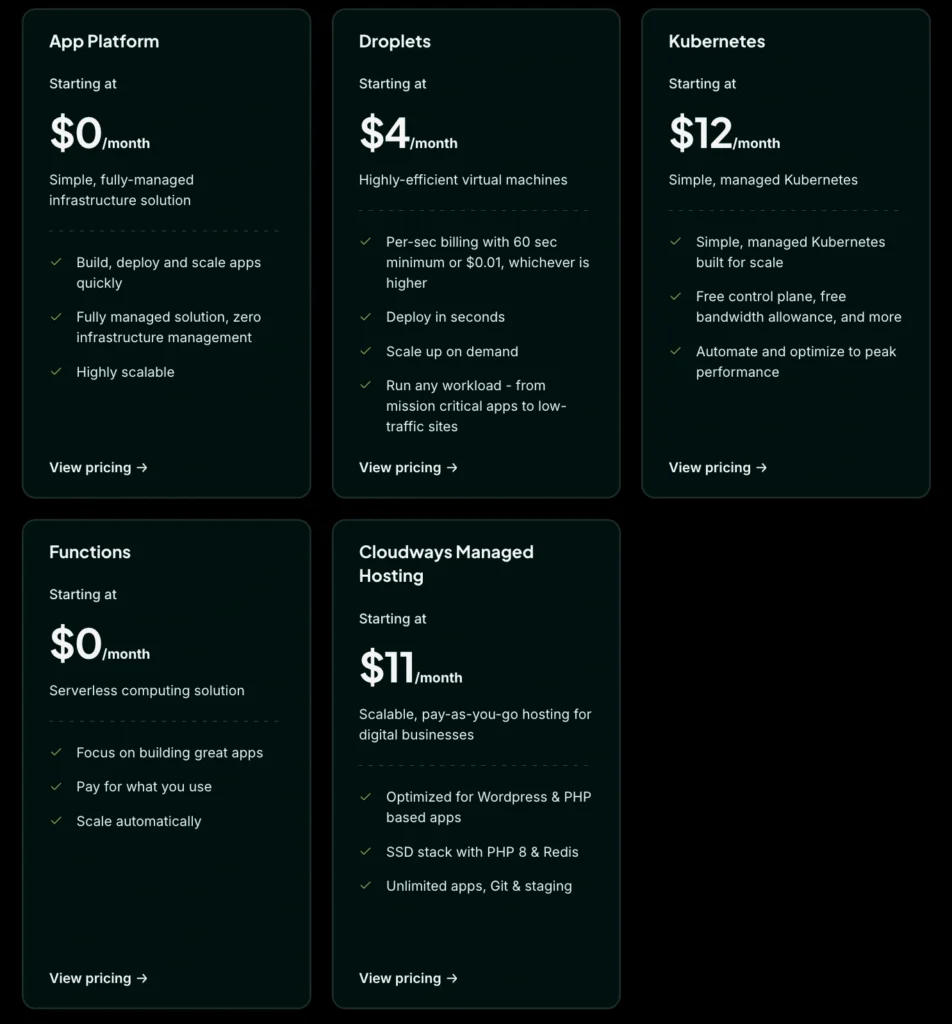
DigitalOcean pricing is one of its strongest selling points. The pricing is easier to understand than AWS or Google Cloud because many products use flat monthly prices with hourly or per second billing under the hood.
DigitalOcean Droplets Pricing
| Plan Type | Starting Price | Example Entry Specs | Best For |
|---|---|---|---|
| Basic Droplets | $4/month | 512 MiB RAM, 1 vCPU, 10 GiB SSD, 500 GiB transfer | Small sites and test projects |
| Basic 1 GiB Plan | $6/month | 1 GiB RAM, 1 vCPU, 25 GiB SSD, 1 TiB transfer | Small live websites |
| Basic 2 GiB Plan | $12/month | 2 GiB RAM, 1 vCPU, 50 GiB SSD, 2 TiB transfer | Growing sites and apps |
| CPU Optimized | From $42/month | 4 GiB RAM, 2 vCPUs | CPU heavy workloads |
| General Purpose | From $63/month | 8 GiB RAM, 2 vCPUs | Balanced production apps |
| Memory Optimized | From $84/month | 16 GiB RAM, 2 vCPUs | Databases and memory heavy apps |
| Storage Optimized | From $131/month | 16 GiB RAM, 2 vCPUs, 300 GiB SSD | Storage heavy workloads |
The $4 plan is attractive, but most production users should start from $6 or $12 per month. A very small server can run out of memory quickly if you install WordPress, caching, security plugins, background tasks, and database services on the same Droplet.
DigitalOcean App Platform Pricing
| App Platform Option | Price | Included |
|---|---|---|
| Free Tier | $0/month | Up to 3 static apps, 1 GiB transfer per static app |
| Shared Fixed Container | $5/month | 1 vCPU, 512 MiB RAM, 50 GiB transfer |
| Shared 1 GiB Container | $10/month | 1 vCPU, 1 GiB RAM, 100 GiB transfer |
| Shared 2 GiB Container | $25/month | 1 vCPU, 2 GiB RAM, 200 GiB transfer |
| Shared 4 GiB Container | $50/month | 2 vCPUs, 4 GiB RAM, 250 GiB transfer |
| Development Database | $7/month | 512 MiB database |
| Dedicated Egress IP | $25/month per app | Static outbound IP pair |
App Platform is not always the cheapest way to host an app, but it is convenient. If your priority is reducing server work, it is a strong option. If your priority is the lowest possible monthly cost, a Droplet is usually cheaper.
DigitalOcean Managed Database Pricing
| Database Type | Starting Price | Notes |
|---|---|---|
| PostgreSQL | Around $15.15/month | Starts with 1 GiB RAM, 1 vCPU |
| MySQL | Around $15.15/month | Similar entry pricing to PostgreSQL |
| MongoDB | Around $15.23/month | Entry level NoSQL database |
| Valkey | $15/month | Redis compatible caching |
| Kafka | Around $148.80/month | Starts with 3 broker style high availability setup |
| OpenSearch | Around $19.60/month | Search and analytics workloads |
Managed database pricing can increase quickly, but it saves time and reduces risk. For serious apps, paying for a managed database is often better than running everything on one small VPS.
Other DigitalOcean Costs
| Product | Starting Price |
|---|---|
| Spaces Object Storage | $5/month |
| Load Balancers | From $12/month |
| Droplet Snapshots | $0.06 per GB per month |
| Weekly Droplet Backups | 20% of Droplet cost |
| Daily Droplet Backups | 30% of Droplet cost |
| Support Developer Plan | $24/month |
| Support Standard Plan | $99/month |
| Support Premium Plan | $999/month |
These add ons matter when calculating real cost. A $12 Droplet may become $25 to $50 per month once you add backups, a load balancer, storage, monitoring, and database hosting.
DigitalOcean Performance and Uptime
DigitalOcean performs well for most developer and business workloads. Droplets use SSD storage, and higher tier plans offer NVMe SSDs and dedicated CPU options. For small to medium websites, SaaS apps, APIs, and backend services, performance is usually strong if the server is configured properly.
The platform also offers a 99.99% uptime SLA for CPU Droplets. That does not mean your app will automatically stay online all the time. Your architecture still matters. A single Droplet can fail, a database can become overloaded, and a bad deployment can break your site.
For better reliability, you should use backups, snapshots, monitoring, load balancers, separate databases, and multiple servers if your project is business critical.
DigitalOcean gives you the tools. You still need to design the setup properly.
DigitalOcean Ease of Use
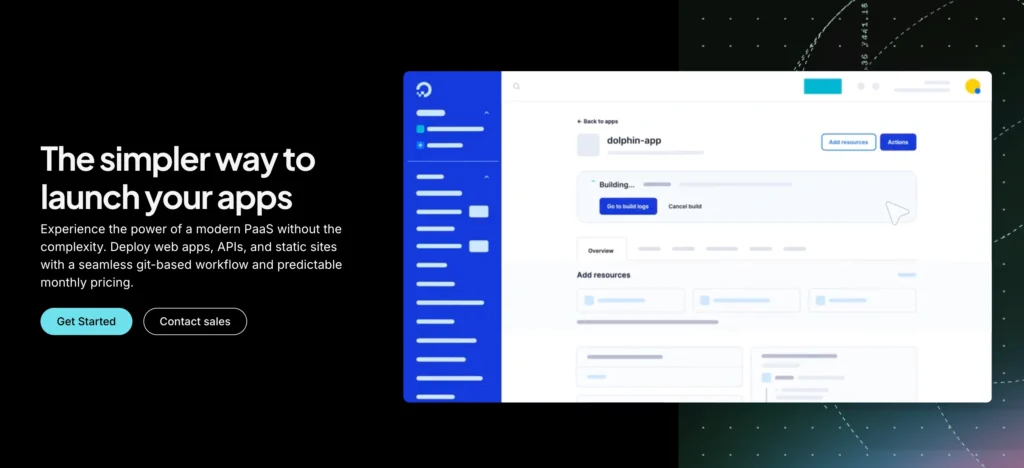
DigitalOcean is easier than AWS, but harder than shared hosting.
The dashboard is clean. Creating a Droplet is simple. You choose a region, image, size, authentication method, and launch. The documentation is also one of DigitalOcean’s strongest assets. Many developers use DigitalOcean tutorials even when they host somewhere else.
Still, you need to understand basic server management. You may need to handle SSH keys, firewall rules, Linux updates, SSL certificates, Nginx, Apache, database security, and backups.
For developers, this is normal. For beginners, it can be confusing.
If you want DigitalOcean infrastructure without managing servers directly, you can use App Platform or Cloudways. Cloudways is owned by DigitalOcean and gives a managed hosting layer on top of cloud infrastructure.
DigitalOcean Security Features
DigitalOcean gives users several tools to improve security. You can use cloud firewalls, private networking, SSH keys, team access controls, monitoring, backups, snapshots, VPC networking, DDoS protection on selected services, and managed database security options.
Security depends heavily on how you configure your environment. A Droplet with weak passwords, open ports, outdated software, and no firewall is risky. A properly configured Droplet with SSH keys, limited access, updates, backups, and firewall rules is much safer.
For businesses, I recommend adding backups from day one. Do not wait until something breaks. Backups are not exciting, but they are the difference between a small issue and a serious loss.
DigitalOcean Customer Support
DigitalOcean offers free and paid support plans.
| Support Plan | Price | Response Time | Best For |
|---|---|---|---|
| Starter | Free | Under 24 hours | Basic account support |
| Developer | $24/month | Under 8 hours | Development and testing teams |
| Standard | $99/month | Under 2 hours | Production workloads |
| Premium | $999/month | Under 30 minutes | Mission critical businesses |
The free plan is fine for learning and small projects, but production businesses may want a paid support tier. This is one area where beginners may feel limited because DigitalOcean is not traditional hand holding hosting support.
You should not expect free support to fix your WordPress plugin issue, optimize your server, or debug your custom app. DigitalOcean is infrastructure first.
DigitalOcean vs Similar Cloud Hosting Providers
| Provider | Starting Price | Best For | Main Strength | Main Weakness |
|---|---|---|---|---|
| DigitalOcean | $4/month | Developers, startups, SaaS, agencies | Simple cloud pricing and clean dashboard | Requires technical skill |
| AWS Lightsail | $5/month with public IPv4 | Users who want AWS ecosystem with simpler VPS pricing | AWS network and service ecosystem | Can become complex if you move beyond Lightsail |
| Akamai Cloud Linode | $5/month | Developers who want VPS style cloud hosting | Strong VPS plans and Akamai network | Interface may feel less beginner friendly |
| Vultr | Around $5/month for common cloud plans | Global VPS users and high frequency compute users | Many locations and compute choices | Pricing and product choices can feel scattered |
| Hetzner Cloud | Low cost euro pricing | Price focused users, especially in Europe | Very affordable compute | Fewer managed cloud services than DigitalOcean |
| Cloudways | Higher managed pricing | Non technical website owners | Managed layer over cloud hosting | Less direct server control |
DigitalOcean sits in the middle. It is easier than AWS and more complete than many basic VPS hosts. It is not as cheap as Hetzner in many cases, but it offers a better mix of managed services, documentation, developer tools, and product simplicity.
DigitalOcean Pros and Cons
Pros
| Pros | Why It Matters |
|---|---|
| Predictable pricing | Easier to estimate monthly cloud costs |
| Droplets start at $4/month | Low entry cost for small projects |
| Clean dashboard | Easier than enterprise cloud consoles |
| Strong documentation | Helpful for developers and learners |
| Managed databases available | Reduces database maintenance work |
| Free Kubernetes control plane | Good value for container teams |
| App Platform available | Deploy apps without managing servers |
| Spaces object storage | Simple S3 compatible storage |
| Good developer tools | API, CLI, Terraform support, Git workflows |
| Scalable infrastructure | Start small and grow over time |
Cons
| Cons | Why It Matters |
|---|---|
| Not ideal for complete beginners | Server management can feel technical |
| Free support is limited | Production users may need paid support |
| Add ons increase real cost | Backups, databases, storage, and load balancers add up |
| No traditional cPanel by default | Shared hosting users may miss familiar tools |
| Requires security setup | You are responsible for server hardening |
| Managed hosting is limited compared to WordPress hosts | Not as simple as Kinsta or WP Engine for WordPress |
Is DigitalOcean Good for WordPress?
Yes, DigitalOcean can be good for WordPress, but it depends on your skill level.
If you know how to manage a Linux server, configure caching, secure WordPress, set up backups, and optimize performance, DigitalOcean can run WordPress very well. A small WordPress site can run on a $6 or $12 Droplet, while larger sites may need dedicated resources, managed databases, object storage, and load balancing.
If you are a beginner, DigitalOcean may not be the easiest WordPress hosting choice. Managed WordPress providers are simpler because they handle updates, caching, staging, backups, support, and performance tuning.
For WordPress users who want DigitalOcean performance without technical setup, Cloudways is often a better option.
Is DigitalOcean Worth It?
DigitalOcean is worth it if you want affordable cloud infrastructure, predictable pricing, good performance, and a developer friendly experience. It is especially strong for users who want to deploy apps, APIs, SaaS projects, startup products, staging environments, and custom server workloads.
It is not the best fit if you want fully managed hosting with support doing everything for you. DigitalOcean gives you the tools, but you still need to know how to use them properly.
For developers and technical teams, DigitalOcean is one of the best cloud hosting platforms in its category. For beginners, it can be powerful but slightly intimidating.
Final Verdict
DigitalOcean is a smart choice for developers, startups, agencies, and growing businesses that want simple cloud hosting with transparent pricing. Droplets are affordable, App Platform makes deployment easier, Managed Databases reduce maintenance work, and Spaces gives you simple object storage.
The platform’s biggest strength is balance. It gives you more flexibility than shared hosting, less complexity than AWS, and enough managed services to support serious production projects.
The main thing to understand is this: DigitalOcean is not beginner hosting. It is simple cloud infrastructure. If you have technical knowledge or someone on your team who can manage cloud servers, it can be excellent value. If not, use App Platform, Cloudways, or a managed hosting provider.
For the right user, DigitalOcean is absolutely worth it.