
DigitalOcean and Vultr are two popular cloud hosting providers for developers, agencies, startups, SaaS founders, and technical website owners. Both let you deploy cloud servers quickly, scale resources, add storage, use managed databases, run Kubernetes, and host production websites or applications.
At first, both platforms look very similar. You choose a server, select a location, pick an operating system, add SSH keys, and deploy your project.
But when you compare them properly, the difference becomes clear.
DigitalOcean is better for users who want a cleaner dashboard, better documentation, easier onboarding, managed app hosting, and predictable pricing. Vultr is better for users who want more global locations, cheaper entry level cloud servers, high frequency compute, bare metal servers, and more infrastructure choices.
The best choice depends on your project. If you want simplicity, DigitalOcean is easier. If you want more control over location and server type, Vultr gives you more flexibility.
Quick Comparison Table
| Category | DigitalOcean | Vultr |
|---|---|---|
| Best For | Developers, startups, agencies, SaaS apps | Developers, power users, global apps, high performance workloads |
| Starting Price | From $4/month | From $2.50/month for limited entry plans |
| Common 1 GB Server | $6/month | Around $5/month |
| Ease of Use | Very beginner friendly for cloud users | Easy, but more technical choices |
| Documentation | Excellent | Good |
| Data Center Coverage | Good | Stronger |
| Managed Databases | Yes | Yes |
| Kubernetes | Yes | Yes |
| Object Storage | Yes | Yes |
| Load Balancers | Yes | Yes |
| App Hosting Platform | Strong App Platform | Less polished for managed app deployment |
| Bare Metal | Limited compared to Vultr | Yes |
| GPU Hosting | Available | Available |
| Best Overall For Beginners | DigitalOcean | Not the first choice |
| Best Overall For Advanced Users | Good | Stronger |
DigitalOcean Overview
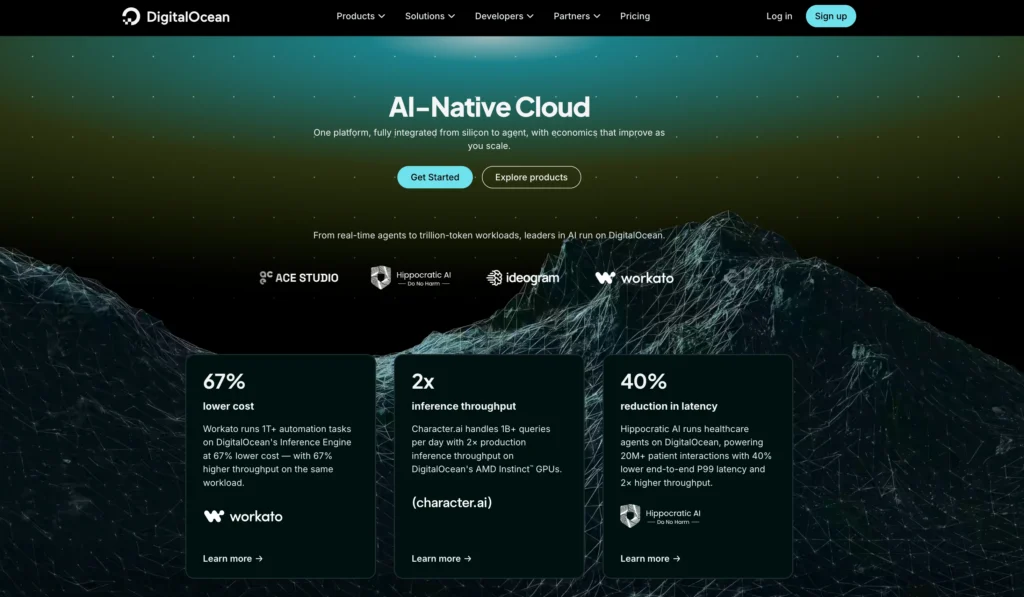
DigitalOcean is a cloud infrastructure provider built around simplicity. Its main product is called a Droplet, which is a cloud virtual machine used to host websites, apps, APIs, databases, staging servers, and production workloads.
DigitalOcean is popular because it makes cloud hosting less confusing. Compared to AWS, Google Cloud, or Azure, the dashboard feels easier, the pricing is more predictable, and the documentation is much easier to follow.
It is a strong option for developers, small businesses, agencies, and startup teams that want reliable cloud hosting without dealing with enterprise cloud complexity.
DigitalOcean Features
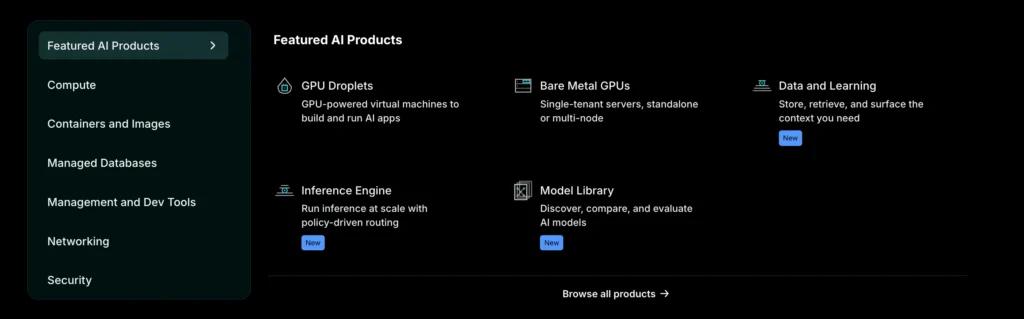
DigitalOcean offers a full set of cloud hosting products. It is no longer just a VPS provider. You can use it to host simple websites, complex apps, SaaS projects, databases, containers, and scalable infrastructure.
| DigitalOcean Feature | Details |
|---|---|
| Droplets | Cloud virtual machines for websites, apps, APIs, and custom servers |
| App Platform | Managed app hosting for developers who do not want to manage servers |
| Managed Databases | Supports PostgreSQL, MySQL, MongoDB, Valkey, Kafka, and OpenSearch |
| Kubernetes | Managed Kubernetes service for container based applications |
| Spaces Object Storage | S3 compatible storage for images, files, backups, and static assets |
| Volumes Block Storage | Extra SSD storage that can be attached to Droplets |
| Load Balancers | Helps distribute traffic across multiple servers |
| Cloud Firewalls | Protects servers by controlling incoming and outgoing traffic |
| Monitoring and Alerts | Tracks server performance and sends alerts |
| Snapshots and Backups | Helps recover servers and protect data |
| Marketplace Apps | One click apps for WordPress, Docker, LAMP, Node.js, and more |
| API and CLI | Useful for developers who want automation |
The best thing about DigitalOcean is how clean everything feels. You can launch a server quickly, find tutorials easily, and understand most services without spending hours reading technical documentation.
Its App Platform is also a big advantage. If you do not want to manage servers manually, you can connect your GitHub or GitLab repository and deploy your app more easily.
DigitalOcean Pricing
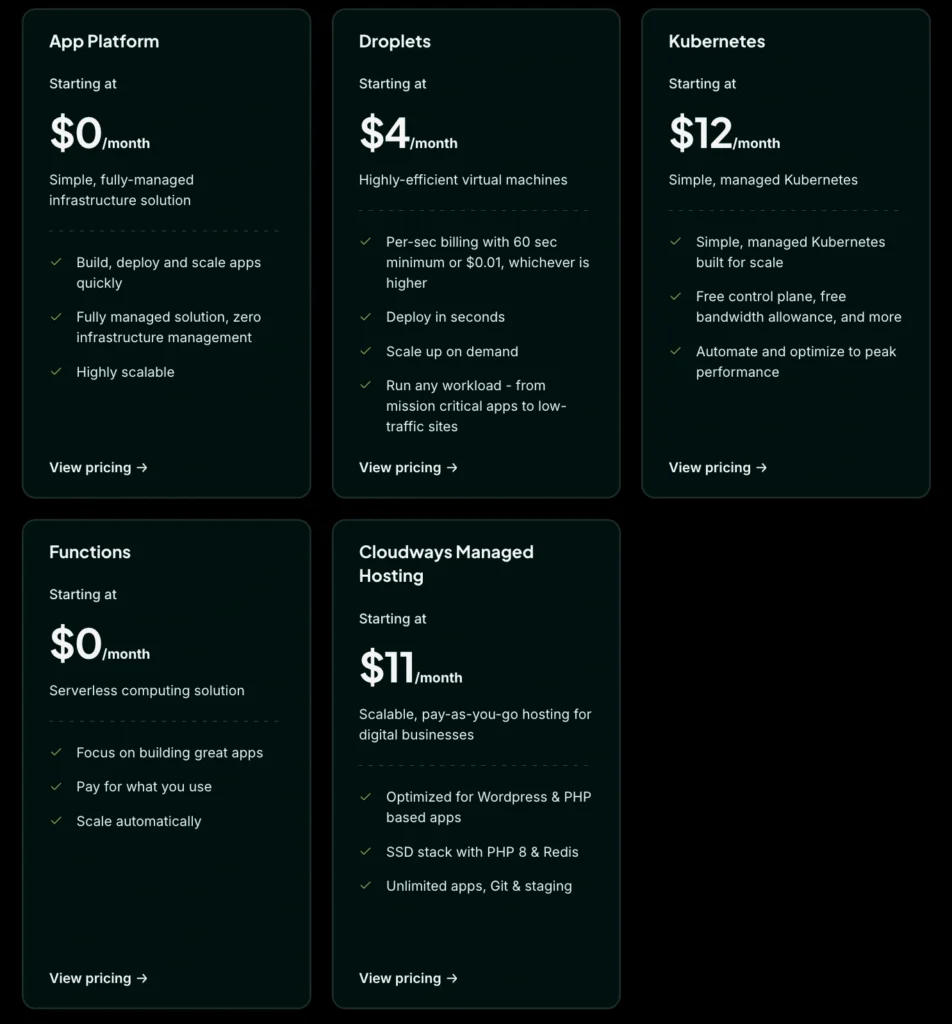
DigitalOcean has simple and predictable pricing. Its Basic Droplets start at $4 per month. The practical 1 GB RAM Droplet costs $6 per month, while the 2 GB RAM plan costs $12 per month.
| DigitalOcean Product | Starting Price | Best For |
|---|---|---|
| Basic Droplets | From $4/month | Small websites, test servers, lightweight apps |
| 1 GB Basic Droplet | $6/month | Small live websites and simple apps |
| 2 GB Basic Droplet | $12/month | Growing websites and app projects |
| 4 GB Basic Droplet | $24/month | Better WordPress hosting, APIs, and production apps |
| CPU Optimized Droplets | From $42/month | CPU heavy workloads |
| General Purpose Droplets | From $63/month | Balanced production workloads |
| App Platform Static Tier | $0/month | Static websites and portfolios |
| App Platform Paid Apps | From $5/month | Managed app deployment |
| Managed Databases | From around $15/month | PostgreSQL, MySQL, MongoDB, Valkey |
| Spaces Object Storage | From $5/month | Media files, backups, static assets |
| Load Balancers | From $12/month | Traffic distribution |
| Kubernetes Control Plane | Free | Container based workloads |
| Kubernetes HA Control Plane | $40/month | High availability Kubernetes setups |
DigitalOcean is not always the cheapest provider, but the pricing is easy to understand. This is one reason many developers like it. You can estimate your monthly bill without needing a complicated pricing calculator.
A small website may run on a $6 or $12 Droplet. A serious business website may need backups, object storage, a managed database, and a load balancer. That means the final cost can be higher than the server price alone.
DigitalOcean Pros
| Pros | Why It Matters |
|---|---|
| Very easy to use | The dashboard is simple and clean |
| Strong documentation | Tutorials are clear and beginner friendly for developers |
| Predictable pricing | Easier to estimate costs |
| Great for developers | API, CLI, Git integration, and one click apps |
| App Platform available | Useful if you do not want to manage servers |
| Managed databases | Saves time on database setup and maintenance |
| Good WordPress tutorials | Helpful for technical WordPress users |
| Strong ecosystem | Droplets, databases, storage, Kubernetes, and networking in one place |
| Good for startups | Easy to start small and scale later |
DigitalOcean Cons
| Cons | Why It Matters |
|---|---|
| Not fully beginner hosting | You still need server knowledge |
| No cPanel by default | Shared hosting users may find it unfamiliar |
| Free support is limited | Production users may need paid support |
| Slightly higher VPS pricing than Vultr | Vultr can be cheaper for basic servers |
| Fewer global locations than Vultr | Not ideal if you need very specific regions |
| Add ons increase cost | Backups, databases, storage, and load balancers cost extra |
| Server security is your responsibility | You must configure firewalls, updates, SSH, and backups |
Vultr Overview
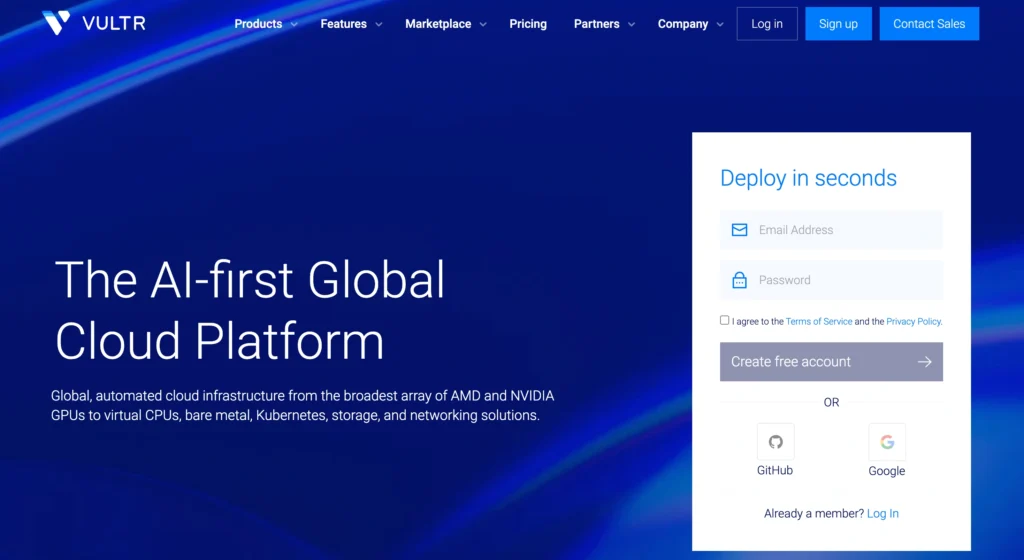
Vultr is a cloud infrastructure provider known for low cost cloud servers, strong global coverage, fast deployment, high frequency compute, bare metal servers, managed databases, Kubernetes, object storage, and GPU infrastructure.
It is popular with developers and technical users who want more control over server type and region. Vultr gives you many compute options, which makes it flexible for different workloads.
Compared to DigitalOcean, Vultr feels more infrastructure focused. It is still easy to use, but it gives you more server categories and more location choices. That is good for experienced users, but beginners may find it slightly less simple.
Vultr Features
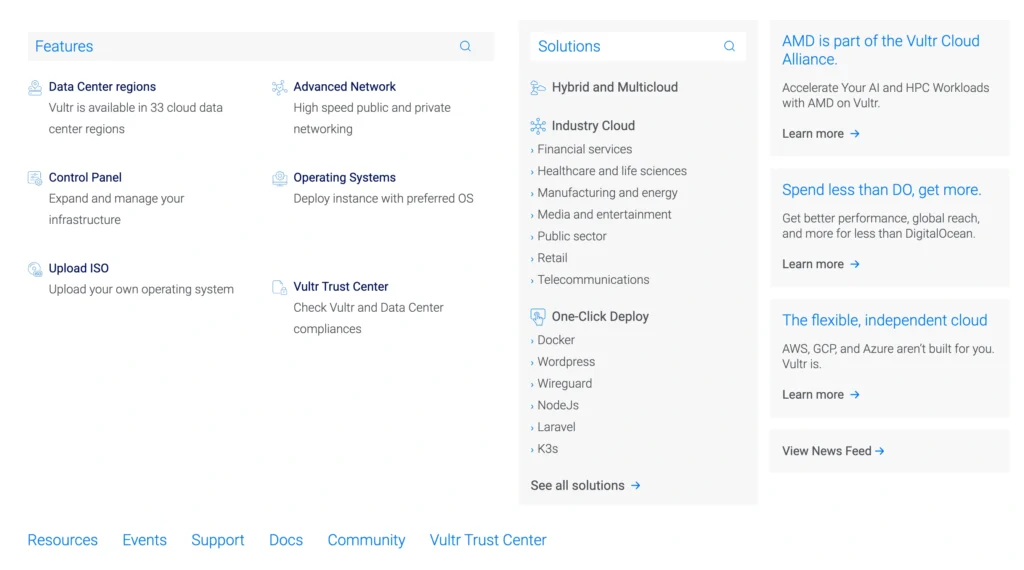
Vultr offers a wide range of cloud infrastructure products. It is especially strong if you want more control over performance, location, and compute type.
| Vultr Feature | Details |
|---|---|
| Cloud Compute | Standard cloud servers for websites, apps, and APIs |
| High Performance Compute | Stronger CPU and NVMe based instances |
| High Frequency Compute | Designed for workloads that need faster CPU speed |
| Optimized Cloud Compute | Dedicated resources for production workloads |
| Bare Metal | Dedicated physical servers for high performance workloads |
| Cloud GPU | GPU servers for AI, ML, rendering, and compute heavy tasks |
| Managed Databases | Supports popular database engines such as PostgreSQL, MySQL, Valkey, and Kafka |
| Kubernetes | Managed Kubernetes for container based workloads |
| Object Storage | Storage for files, media, backups, and static assets |
| Block Storage | Extra storage attached to cloud servers |
| Load Balancers | Distributes traffic across cloud instances |
| Firewalls | Helps protect cloud servers |
| Snapshots and Backups | Useful for recovery and server duplication |
| Marketplace Apps | One click apps for common software stacks |
Vultr’s biggest advantage is choice. You can choose low cost cloud servers, faster compute plans, optimized instances, bare metal machines, or GPU servers.
This makes Vultr attractive for developers who know exactly what kind of infrastructure they need.
Vultr Pricing
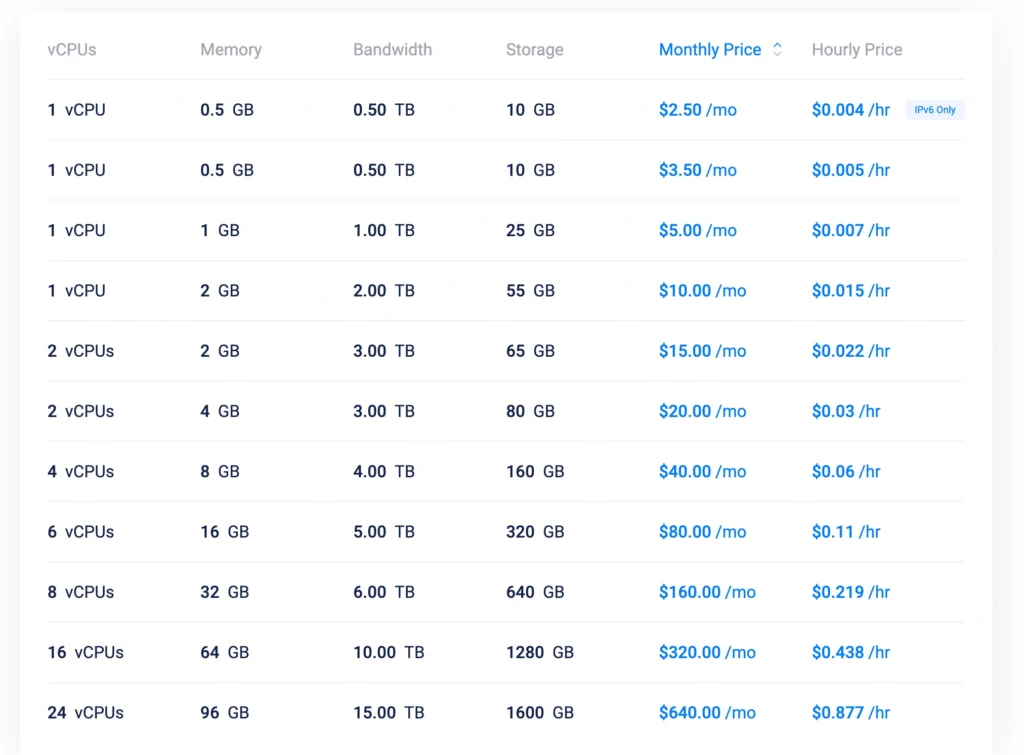
Vultr is known for affordable cloud server pricing. Its lowest cloud compute plans can start from $2.50 per month, while the common entry point for many users is around $5 per month.
| Vultr Product | Starting Price | Best For |
|---|---|---|
| Entry Cloud Compute | From $2.50/month | Small test projects and lightweight workloads |
| Common Cloud Compute | From around $5/month | Small websites, apps, and APIs |
| High Performance Compute | From around $6/month | Better CPU and storage performance |
| Optimized Cloud Compute | From around $28/month | Production apps needing dedicated resources |
| Managed Databases | From around $15/month | PostgreSQL, MySQL, Valkey, Kafka |
| Object Storage | From around $18/TB/month | File storage, backups, app assets |
| Load Balancers | From around $10/month | High availability and traffic distribution |
| Block Storage | Around $1 per 10 GB | Extra storage for cloud servers |
| Bare Metal | From around $120/month | Dedicated server workloads |
| Cloud GPU | Pricing depends on GPU type | AI, ML, rendering, inference workloads |
| Kubernetes | Control plane free, pay for worker nodes | Container based applications |
Vultr can be cheaper than DigitalOcean for basic cloud servers. A common 1 GB RAM cloud server is usually around $5 per month, while DigitalOcean’s similar Basic Droplet is $6 per month.
This price difference becomes more important if you run many servers.
However, Vultr has more server categories, so you need to compare carefully. A low cost cloud instance, high performance instance, optimized cloud instance, and bare metal server are not the same thing.
Vultr Pros
| Pros | Why It Matters |
|---|---|
| Affordable VPS pricing | Good for budget focused projects |
| More global locations | Better for location specific hosting |
| High Frequency Compute | Useful for latency sensitive workloads |
| Bare Metal available | Good for dedicated hardware needs |
| Cloud GPU options | Useful for AI, ML, rendering, and heavy compute |
| Many server types | More control over performance and cost |
| Fast deployment | Servers can be launched quickly |
| Good for advanced users | More flexibility for technical teams |
| Strong infrastructure focus | Useful for custom workloads |
Vultr Cons
| Cons | Why It Matters |
|---|---|
| Less beginner friendly than DigitalOcean | More server choices can confuse new users |
| Documentation is not as strong as DigitalOcean | Good, but not as polished |
| Managed app hosting is weaker | DigitalOcean App Platform is better |
| Pricing can be harder to compare | Many compute types make selection more complex |
| Support feels less structured | DigitalOcean has clearer paid support tiers |
| Not ideal for non technical users | You still need server management skills |
| Add ons cost extra | Backups, storage, databases, and load balancers increase the bill |
DigitalOcean vs Vultr: Feature Comparison
| Feature | DigitalOcean | Vultr | Winner |
|---|---|---|---|
| Cloud servers | Yes | Yes | Tie |
| Lowest pricing | From $4/month | From $2.50/month | Vultr |
| Ease of use | Very easy | Easy but more technical | DigitalOcean |
| Documentation | Excellent | Good | DigitalOcean |
| App hosting | Strong App Platform | Limited compared to DigitalOcean | DigitalOcean |
| Managed databases | Yes | Yes | Tie |
| Kubernetes | Yes | Yes | Tie |
| Object storage | Yes | Yes | Tie |
| Load balancers | Yes | Yes | Tie |
| Bare metal | Limited | Stronger | Vultr |
| GPU hosting | Available | Available | Tie |
| Global locations | Good | Better | Vultr |
| WordPress support resources | Strong | Good | DigitalOcean |
| Best for beginners | Strong | Moderate | DigitalOcean |
| Best for advanced infrastructure | Good | Strong | Vultr |
Which One Is Better for WordPress?
Both DigitalOcean and Vultr can run WordPress well, but neither is as simple as traditional shared hosting.
DigitalOcean is better for WordPress users who want clearer tutorials and an easier learning curve. You can launch a Droplet, install WordPress, configure caching, add backups, and optimize performance.
Vultr is also good for WordPress, especially if you want cheaper server pricing or a specific data center location. A Vultr High Frequency server can be a good choice for fast WordPress performance when configured properly.
For beginners, DigitalOcean is easier.
For technical users, both are good.
Which One Is Better for Developers?
DigitalOcean is better for developers who want a smooth experience, strong documentation, App Platform, managed databases, and predictable pricing.
Vultr is better for developers who want more control over server type, location, compute performance, bare metal, and GPU infrastructure.
For general app development, DigitalOcean is easier.
For advanced infrastructure needs, Vultr is more flexible.
Which One Is Better for Startups?
For most startups, DigitalOcean is the better choice. It gives you the right balance of simplicity, pricing, documentation, managed services, and scalability.
A startup can begin with a small Droplet, move the database to a managed service, add object storage, use load balancers, and later use Kubernetes if needed.
Vultr is also a good startup option if location coverage or low cost compute is more important. But for most early stage teams, DigitalOcean is easier to manage.
Final Verdict: DigitalOcean vs Vultr
DigitalOcean and Vultr are both strong cloud hosting providers, but they are not exactly the same.
DigitalOcean is better if you want simplicity, strong documentation, managed app hosting, predictable pricing, and an easier cloud experience. It is the better choice for beginners, developers, agencies, small businesses, and startups that want cloud hosting without too much complexity.
Vultr is better if you want lower cost VPS options, more global locations, high frequency compute, bare metal servers, GPU hosting, and more infrastructure flexibility. It is better for technical users who know exactly what kind of server they need.
If you are choosing your first cloud hosting platform, DigitalOcean is the safer choice.
If you are experienced and want more server options, Vultr is a strong pick.
For most users, DigitalOcean is better overall. For advanced users, Vultr gives more control.